FLUKE CRADLE
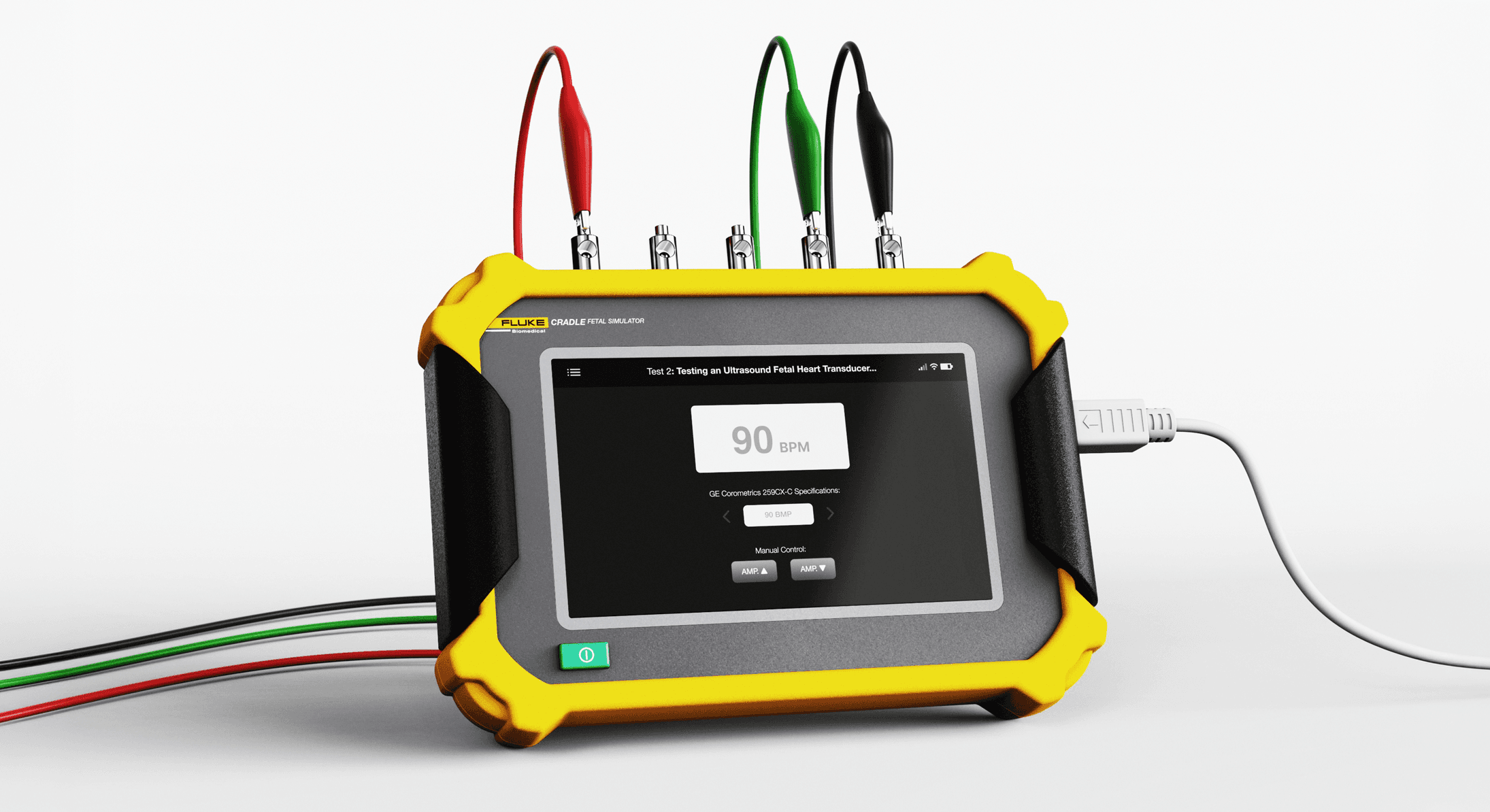
Fluke Cradle (“Fluke PS402”) is a fetal simulation device that recognizes monitor models and supports testing procedures. Designed for intuitive use, it accommodates technicians with varying levels of experience and can be configured for different testing setups.
ROLE
Industrial Design Lead
UX / UI Design
UX / UI Researcher
TIMELINE
Fall 2024
Ten Weeks
TEAM
Lindsay Hult
Kristin Tapang
STUDIO SPONSOR
Fluke Corporation
FLUKE CRADLE
Fluke Cradle (“Fluke PS402”) is a fetal simulation device that recognizes monitor models and supports testing procedures. Designed for intuitive use, it accommodates technicians with varying levels of experience and can be configured for different testing setups.
ROLE
Industrial Design Lead
UX / UI Design
UX / UI Researcher
TIMELINE
Fall 2024
Ten Weeks
TEAM
Lindsay Hult
Kristin Tapang
STUDIO SPONSOR
Fluke Corporation
FLUKE CRADLE
Fluke Cradle (“Fluke PS402”) is a fetal simulation device that recognizes monitor models and supports testing procedures. Designed for intuitive use, it accommodates technicians with varying levels of experience and can be configured for different testing setups.
ROLE
Industrial Design Lead
UX / UI Design
UX / UI Researcher
TIMELINE
Fall 2024
Ten Weeks
TEAM
Lindsay Hult
Kristin Tapang
STUDIO SPONSOR
Fluke Corporation

CONTEXT
Suboptimal Equipment
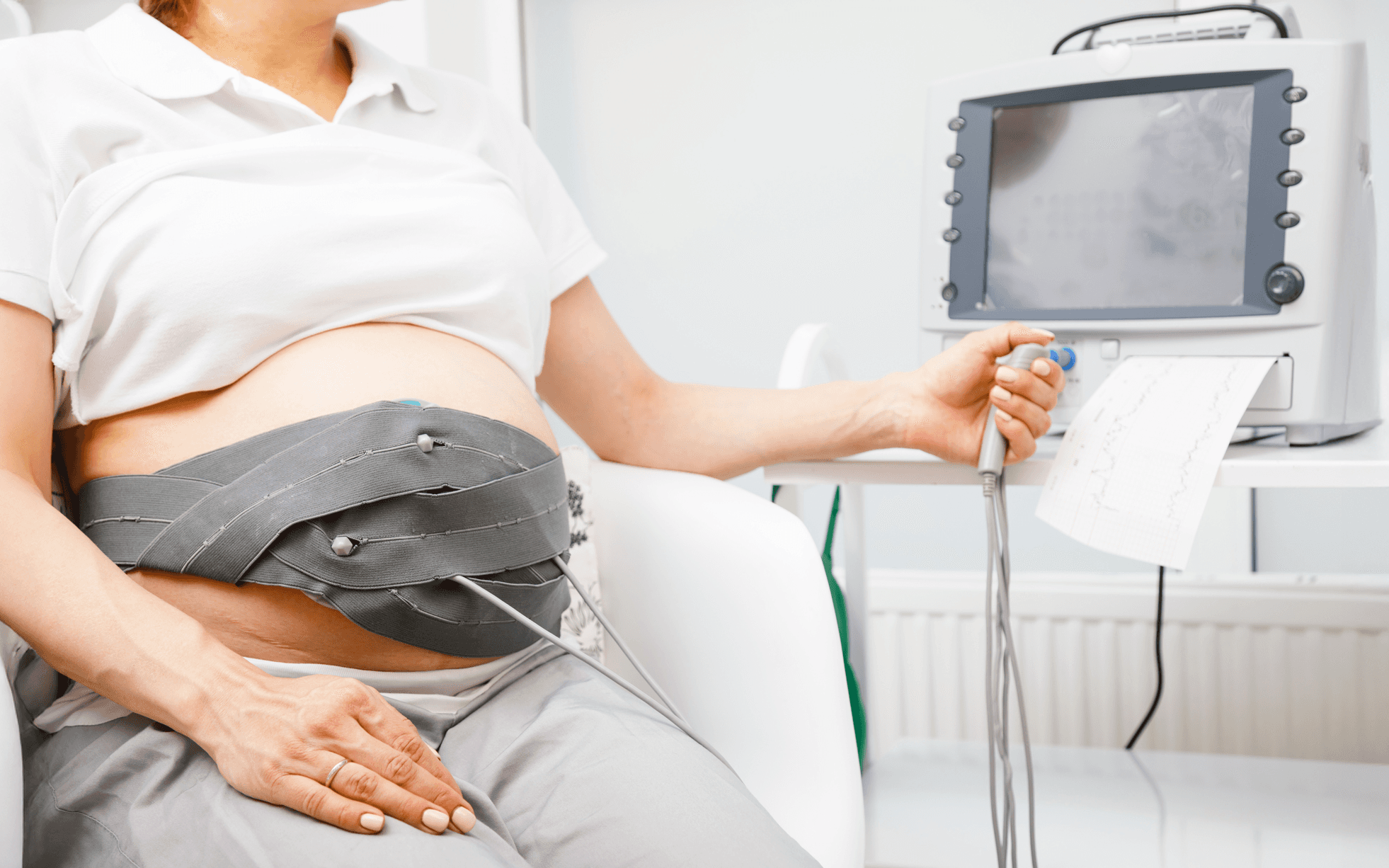
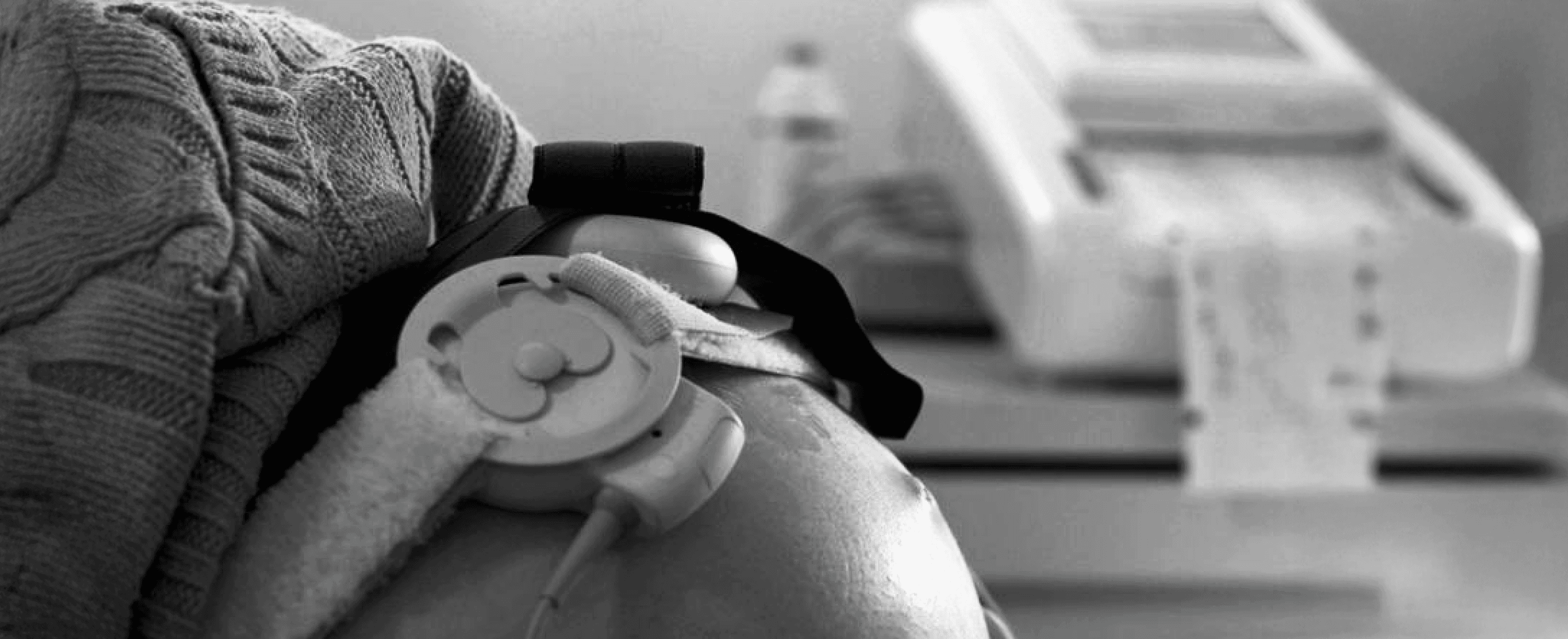
Fetal monitors are critical for tracking uterine contractions and fetal heart rate in high-risk pregnancies, yet they are often difficult to test and maintain in real-world clinical settings.
RESEARCH
Challenges in Maintenance
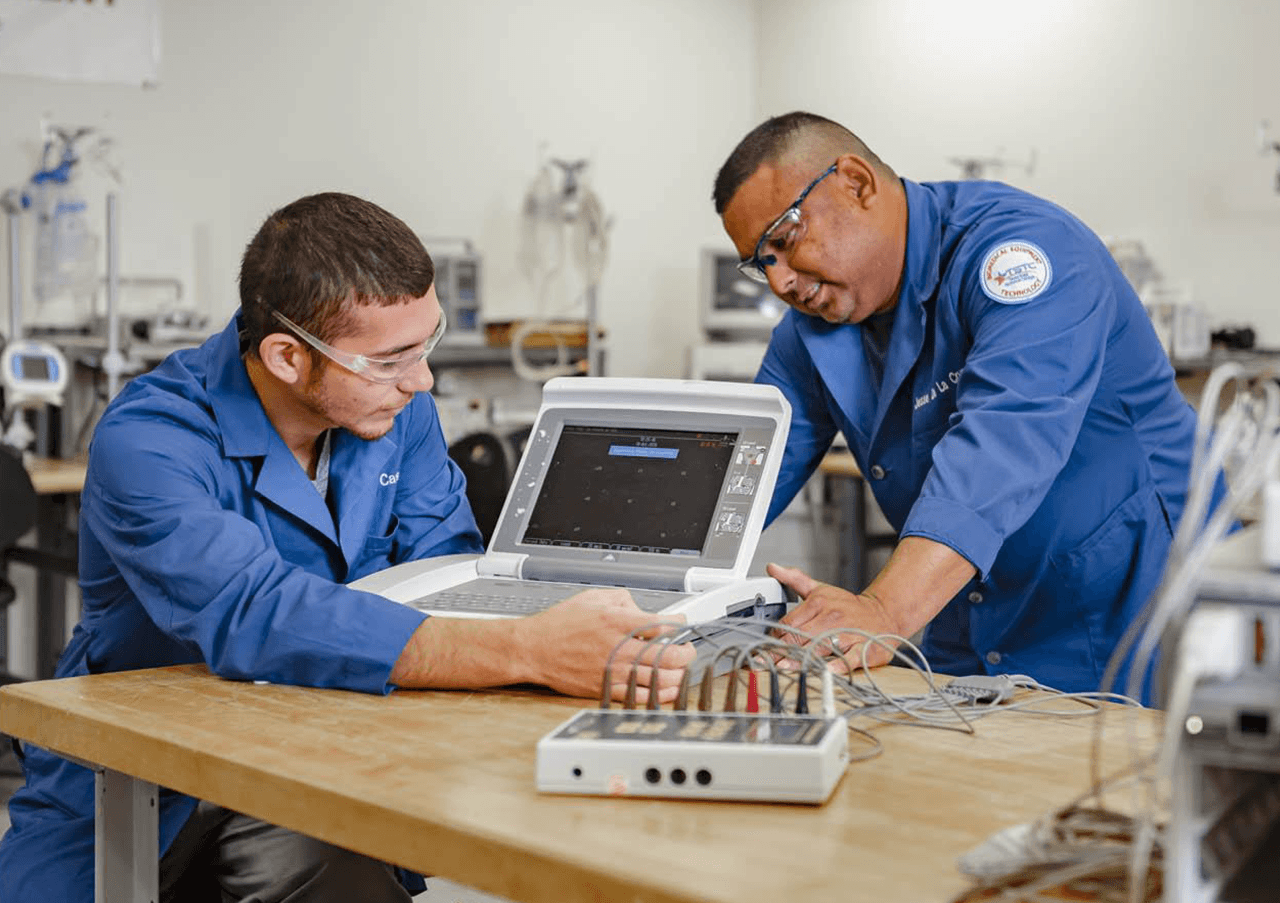
Interviews with medical professionals and biomedical equipment technicians (BMETs) revealed three key reasons why fetal monitors are often difficult to maintain and test:
Limited Training
With heavy workloads, BMETs often have limited time to learn proper calibration procedures.
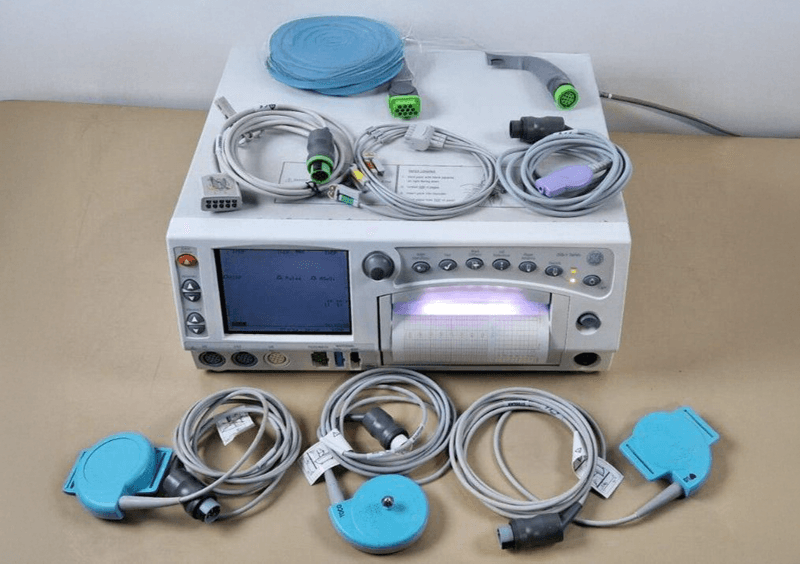
Complex Process
Multiple wires and devices make it difficult to determine which ports correspond to the correct connectors.
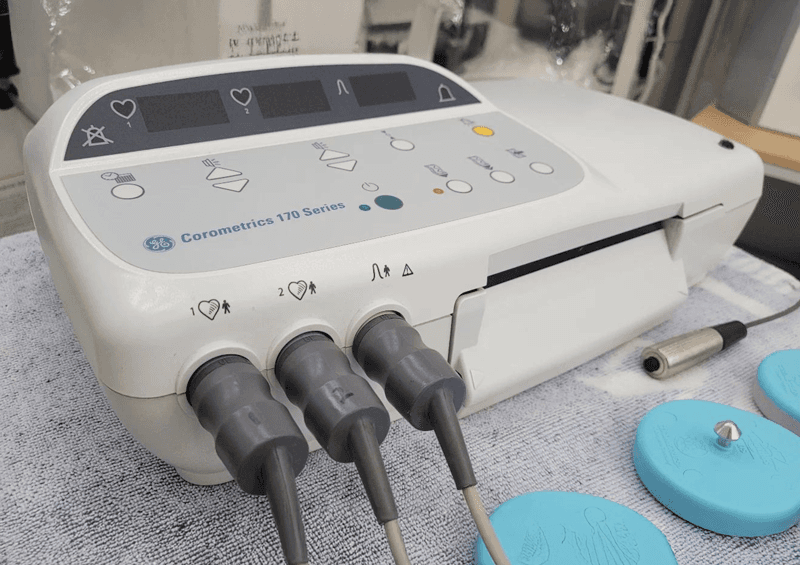
Lack of Standardization
Healthcare providers use a range of fetal monitor models, each requiring different manuals and testing parameters.
KEY INSIGHTS
“The hardest part isn’t using the monitor—it’s figuring out how to set up the simulator correctly every single time.”
— Biomedical Equipment Technician
COMPETITIVE ANALYSIS
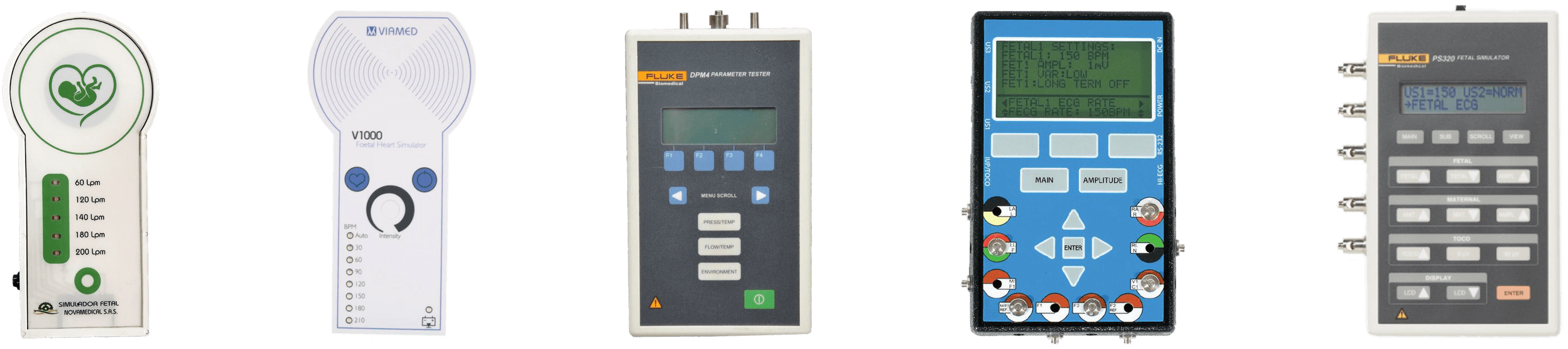
Limitations of Current Simulators
Further investigation into fetal monitor simulators revealed that these devices often introduce new frustrations. They have steep learning curves, unintuitive interfaces, and a disconnect between simplicity and functionality.
CONTEXT
Suboptimal Equipment
Fetal monitors are critical for tracking uterine contractions and fetal heart rate in high-risk pregnancies, yet they are often difficult to test and maintain in real-world clinical settings.
RESEARCH
Challenges in Maintenance
Interviews with medical professionals and biomedical equipment technicians (BMETs) revealed three key reasons why fetal monitors are often difficult to maintain and test:
Limited Training
With heavy workloads, BMETs often have limited time to learn proper calibration procedures.
Complex Process
Multiple wires and devices make it difficult to determine which ports correspond to the correct connectors.
Lack of Standardization
Healthcare providers use a range of fetal monitor models, each requiring different manuals and testing parameters.
KEY INSIGHTS
“The hardest part isn’t using the monitor—it’s figuring out how to set up the simulator correctly every single time.”
— Biomedical Equipment Technician
COMPETITIVE ANALYSIS
FETAL SIMULATORS ARE THE PROBLEM
Further investigation into simulators used to test fetal monitors reveled that these devices are often the source of frustration themselves. They have steep learning curves, unintuitive interfaces, and an imbalance between simplicity & function.
THE GOAL
How might we simplify fetal monitor maintenance while increasing user confidence?
01
Guided Workflows
The UI should support new users while guiding them clearly through testing procedures.
02
Simplified Setup
The device should reduce setup confusion and provide a clear understanding of functions.
03
Consistent Testing Workflows
The product should streamline and standardize fetal monitor testing workflows.
THE GOAL
How might we simplify fetal monitor maintenance while increasing user confidence?
01
Guided Workflows
The UI should support new users while guiding them clearly through testing procedures.
02
Simplified Setup
The device should reduce setup confusion and provide a clear understanding of functions.
03
Consistent Testing Workflows
The product should streamline and standardize fetal monitor testing workflows.
THE GOAL
How might we simplify fetal monitor maintenance while increasing user confidence?
01
Guided Workflows
The UI should support new users while guiding them clearly through testing procedures.
02
Simplified Setup
The device should reduce setup confusion and provide a clear understanding of functions.
03
Consistent Testing Workflows
The product should streamline and standardize fetal monitor testing workflows.
MOODBOARD
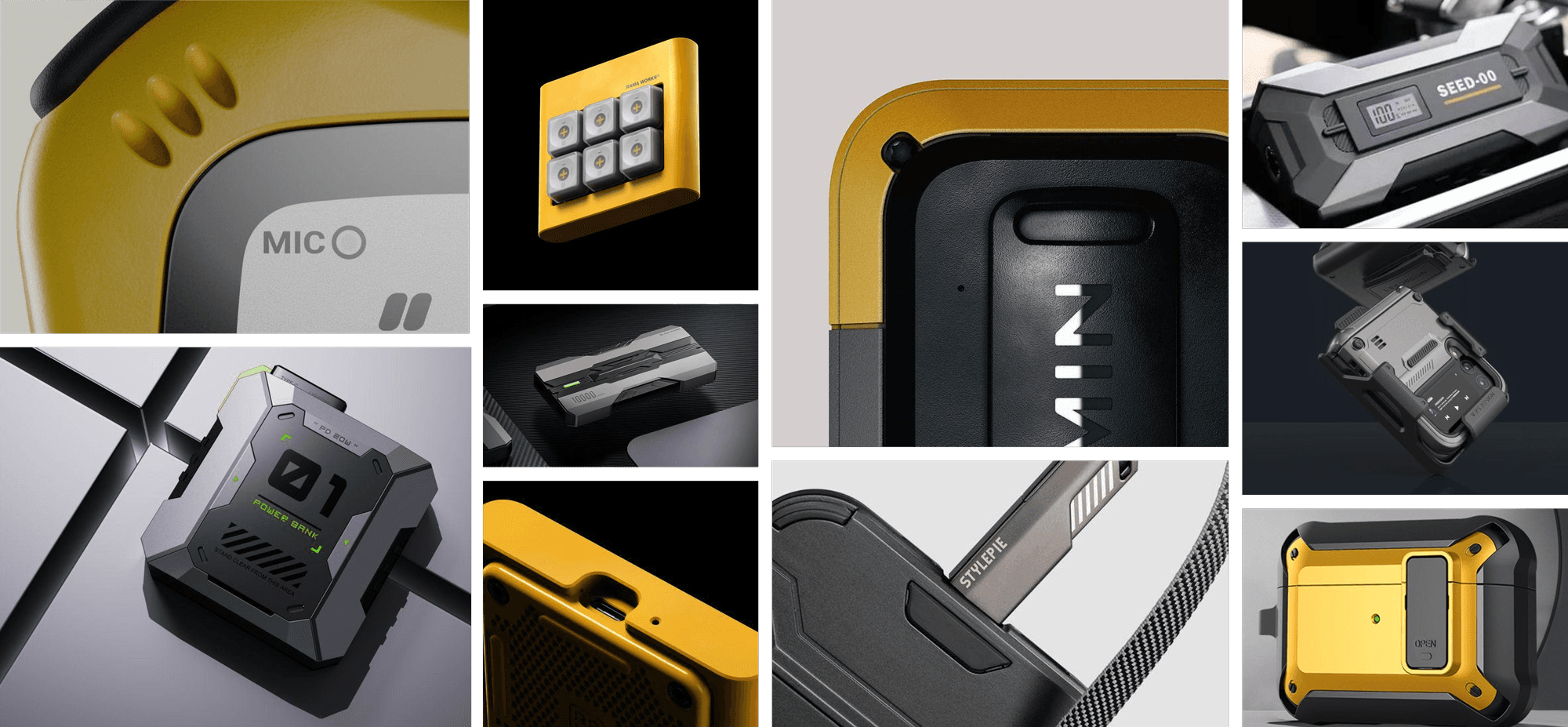
Durable, Industrial, Rugged
The product should communicate safety, confidence, and capability.
RAPID IDEATION
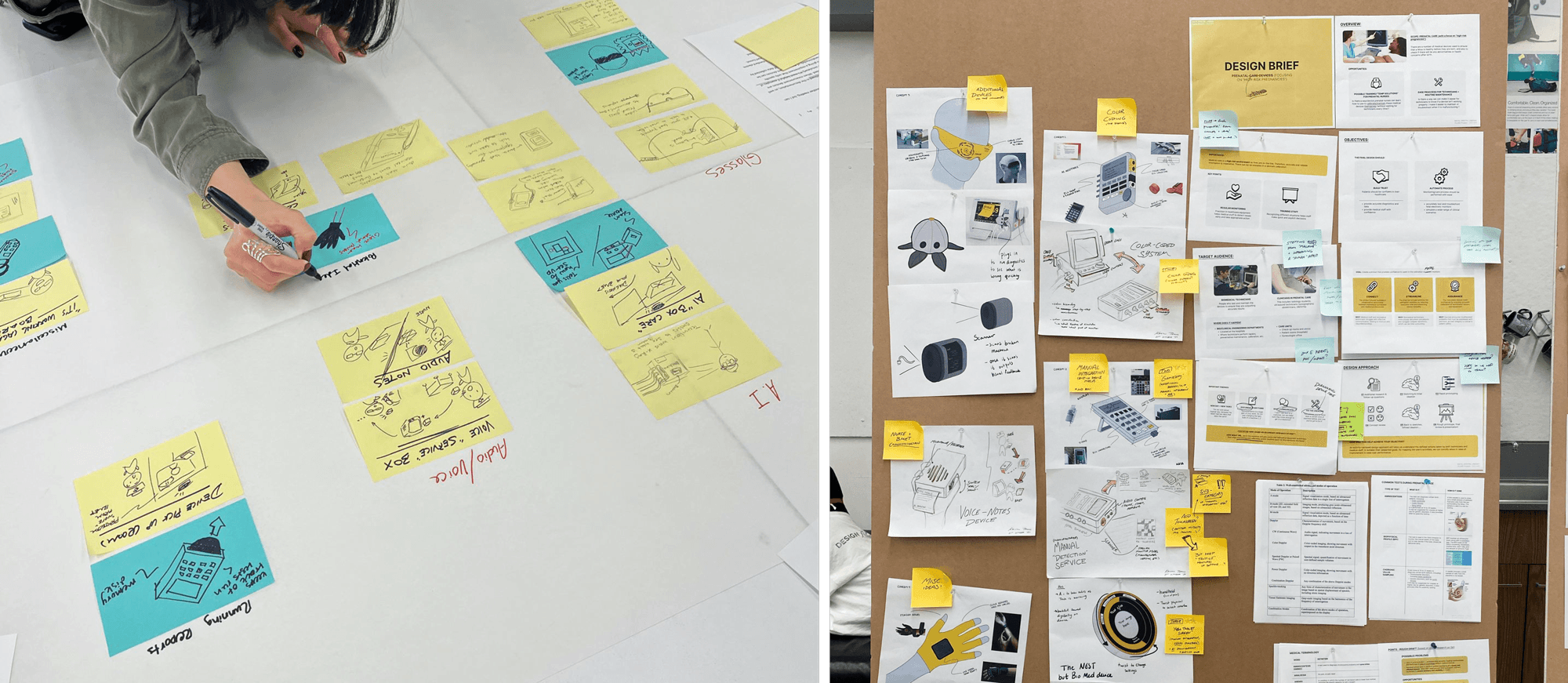
Defining the Experience
We studied existing fetal simulators to identify opportunities for reducing setup confusion, standardizing testing workflows, and providing guidance tailored to technicians with different levels of experience.
USER FLOW
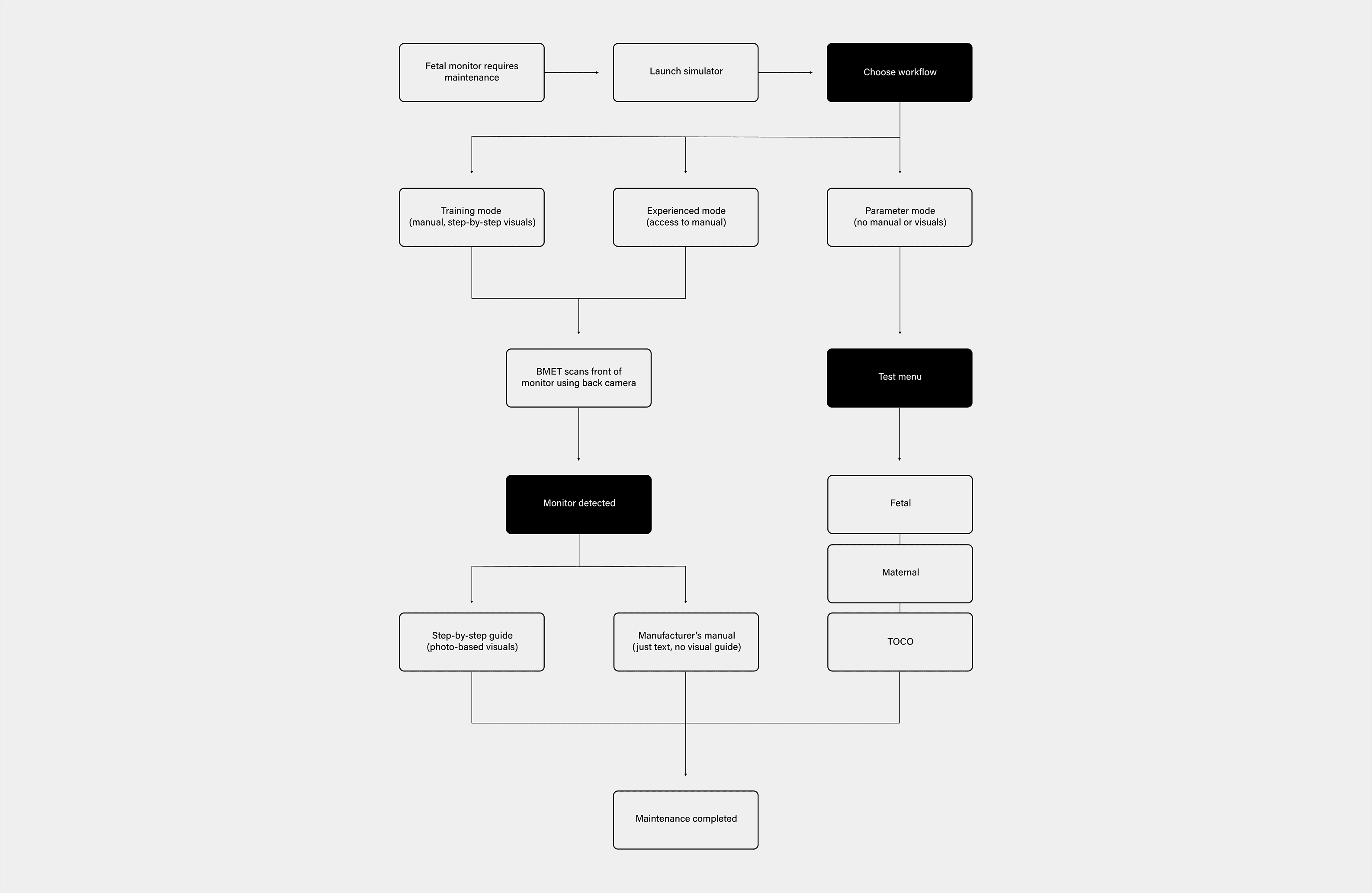
Experience Architecture
To reduce setup complexity, we paired the product with a camera-assisted interface that identifies the patient monitor and guides technicians through workflows tailored to their experience level.
FORM DEVELOPMENT
Integrating Hardware & Interface
The physical design evolved alongside the interaction framework, with rapid sketching used to explore enclosure proportions, interface placement, camera positioning, and ergonomics. Each iteration worked to create a cohesive product that supported an intuitive maintenance experience.
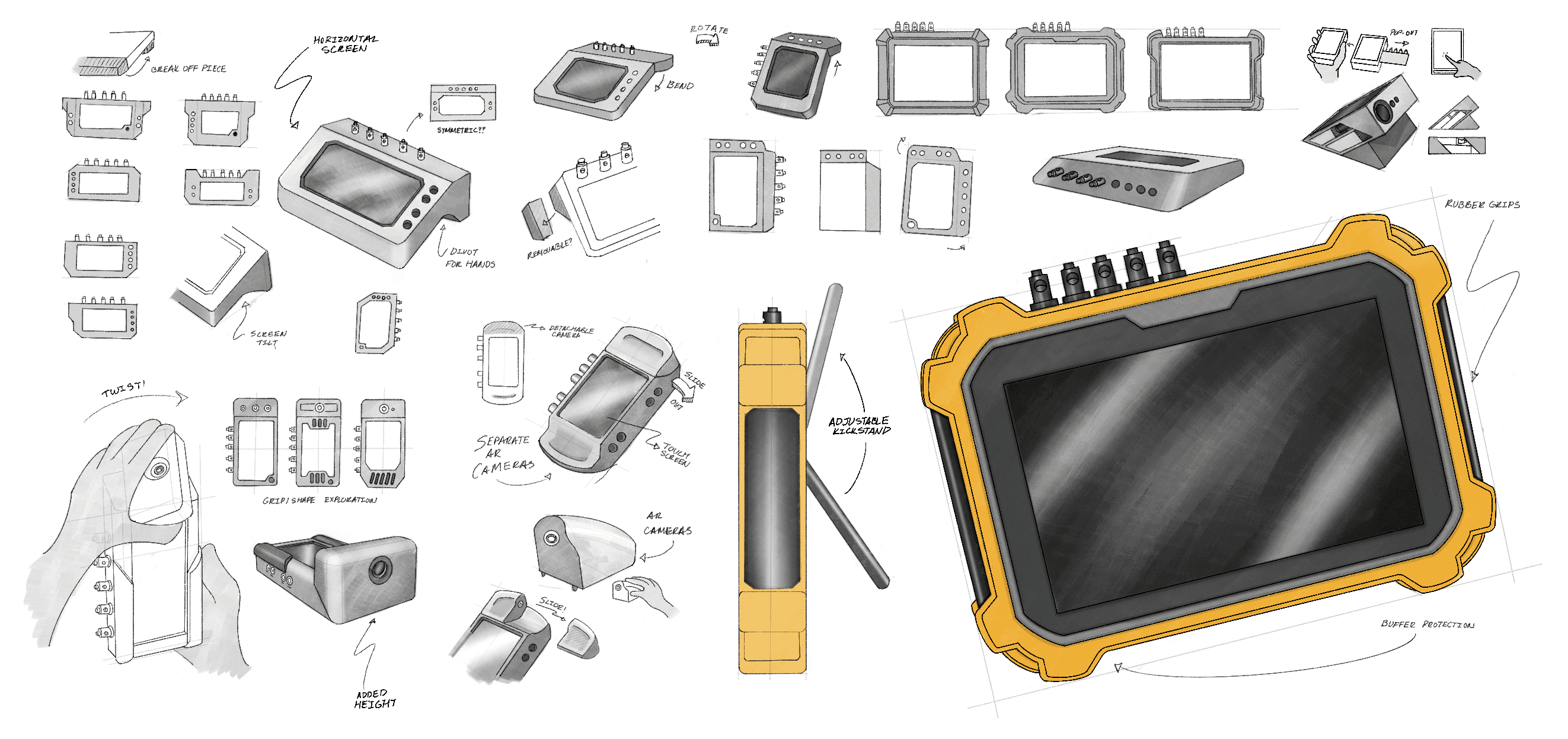
Rapid sketches evaluated proportions, ergonomics, and component placement to support an intuitive maintenance experience.
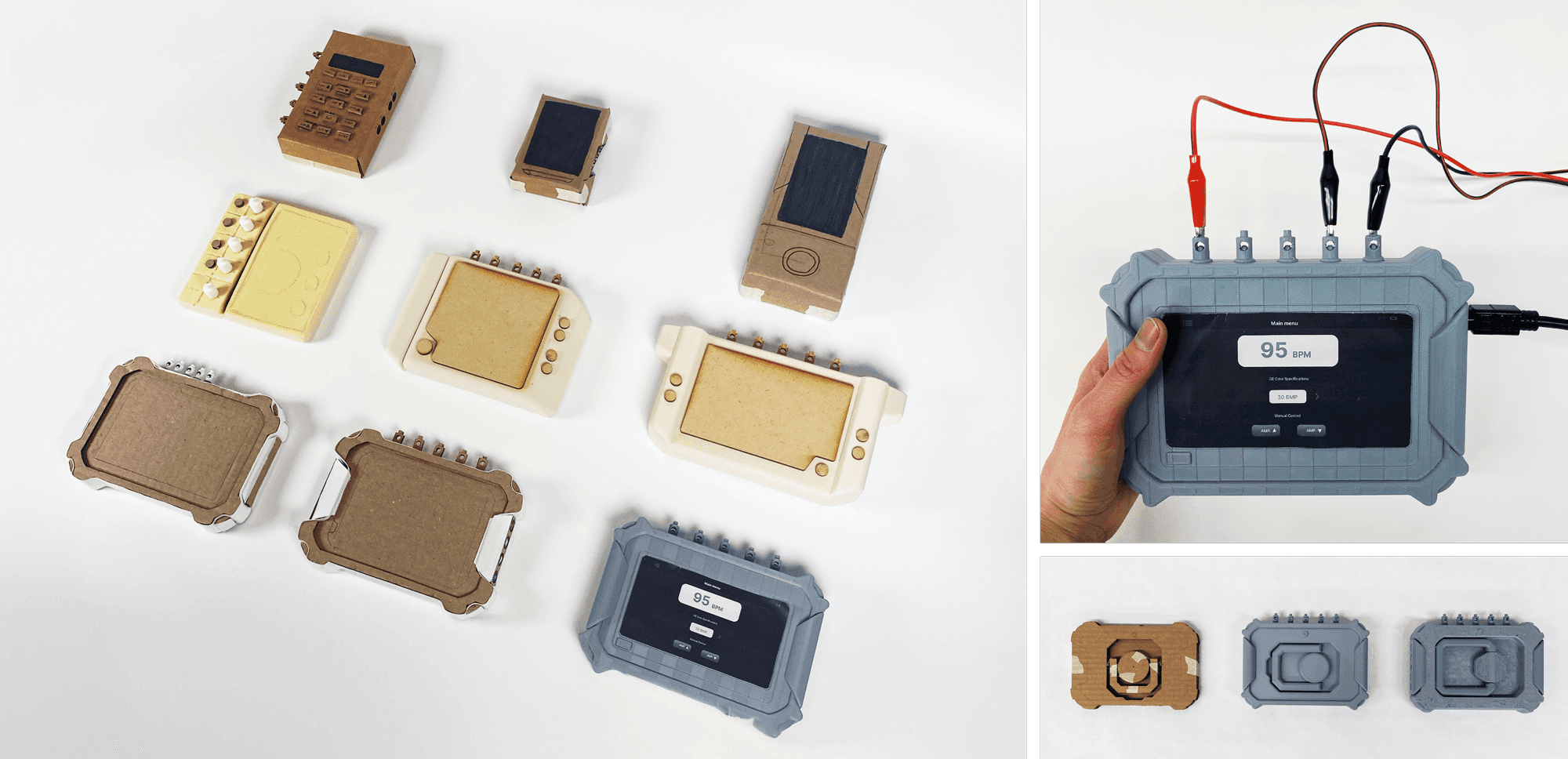
Investigated how the interface, camera, and physical enclosure could work together as a cohesive system.
REFINEMENT
Validating the Final Design
A high-fidelity prototype was built to evaluate the complete user experience, including ergonomics, hardware interactions, screen integration, and color application before finalizing the design.
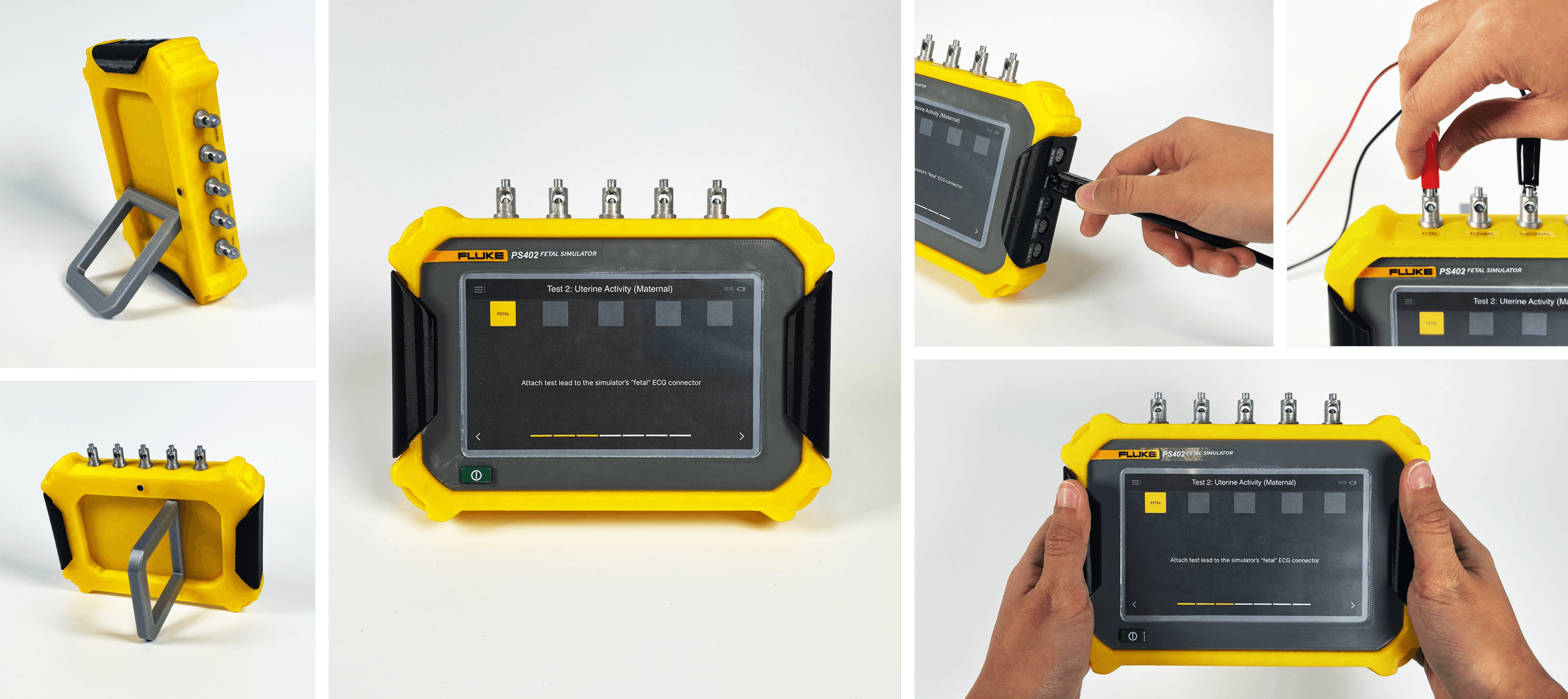
High-fidelity prototype developed in collaboration with Kristin Tapang.
RAPID IDEATION
Defining the Experience
We studied existing fetal simulators to identify opportunities for reducing setup confusion, standardizing testing workflows, and providing guidance tailored to technicians with different levels of experience.
USER FLOW
Experience Architecture
To reduce setup complexity, we paired the product with a camera-assisted interface that identifies the patient monitor and guides technicians through workflows tailored to their experience level.
FORM DEVELOPMENT
Integrating Hardware & Interface
The physical design evolved alongside the interaction framework, with rapid sketching used to explore enclosure proportions, interface placement, camera positioning, and ergonomics. Each iteration worked to create a cohesive product that supported an intuitive maintenance experience.
Rapid sketches evaluated proportions, ergonomics, and component placement to support an intuitive maintenance experience.
Investigated how the interface, camera, and physical enclosure could work together as a cohesive system.
REFINEMENT
Validating the Final Design
A high-fidelity prototype was built to evaluate the complete user experience, including ergonomics, hardware interactions, screen integration, and color application before finalizing the design.
High-fidelity prototype developed in collaboration with Kristin Tapang.
SOLUTION
An Intuitive Maintenance Companion
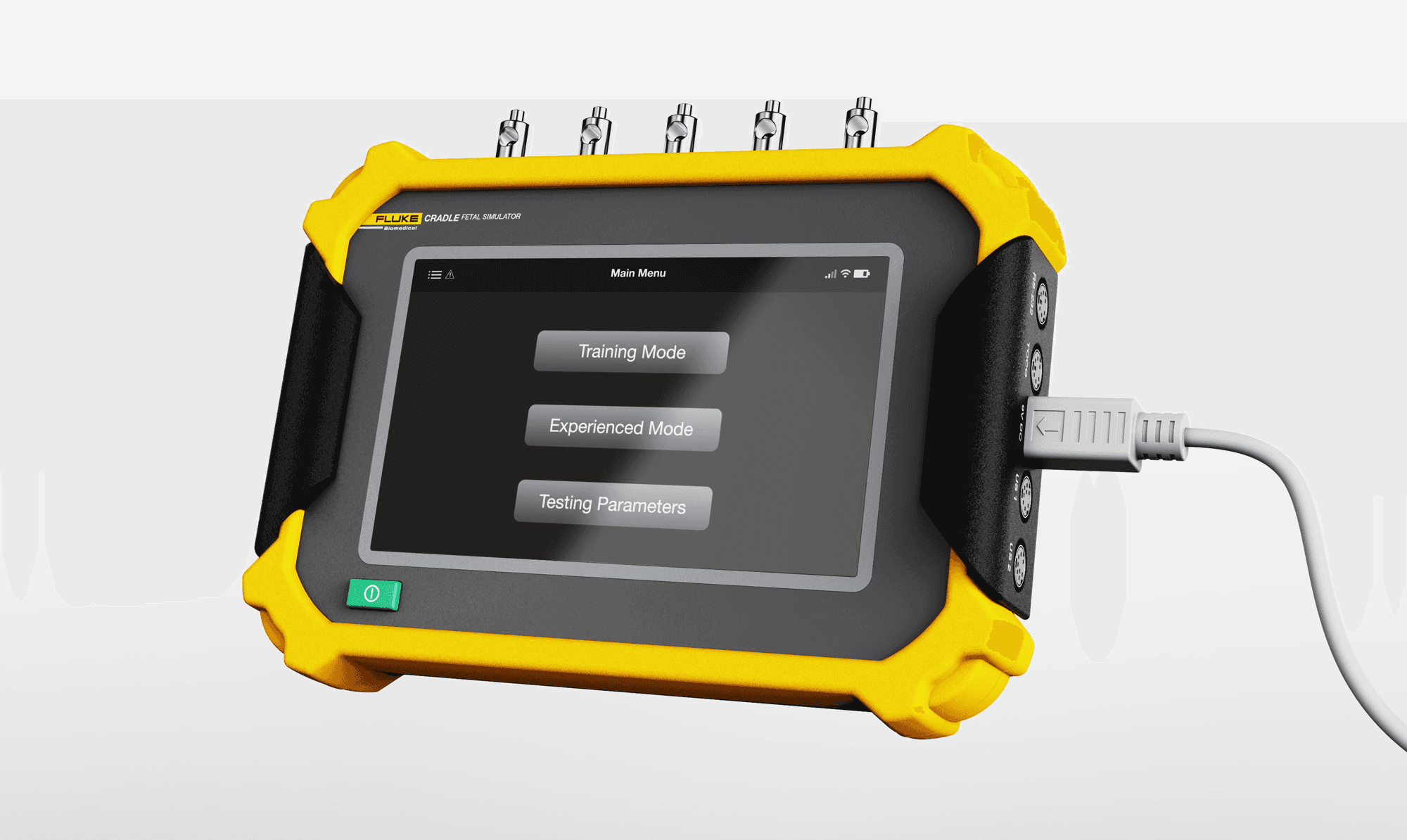
Fluke Cradle is an intelligent fetal simulator that streamlines maintenance workflows while adapting guidance to technicians of varying experience levels.
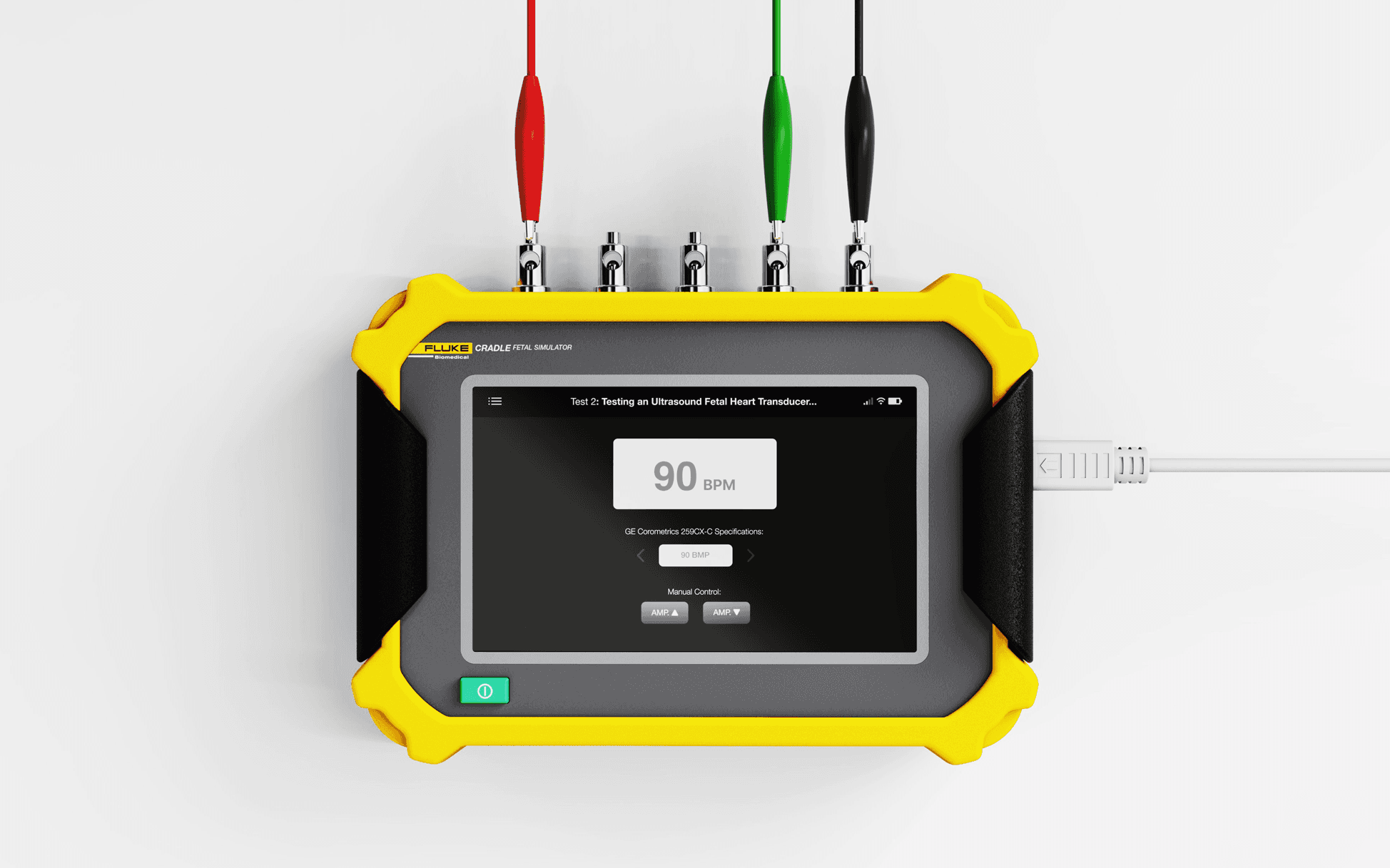
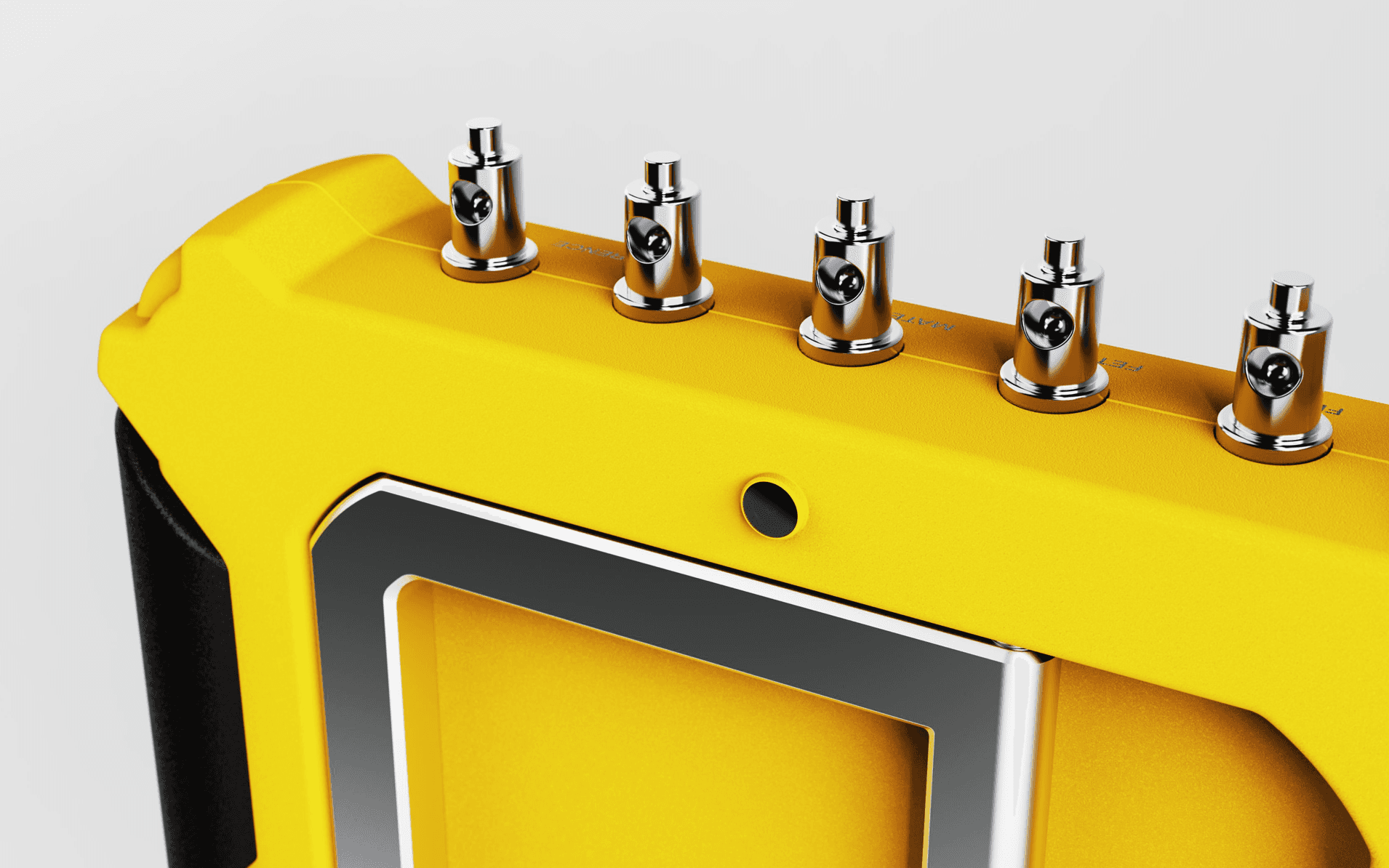
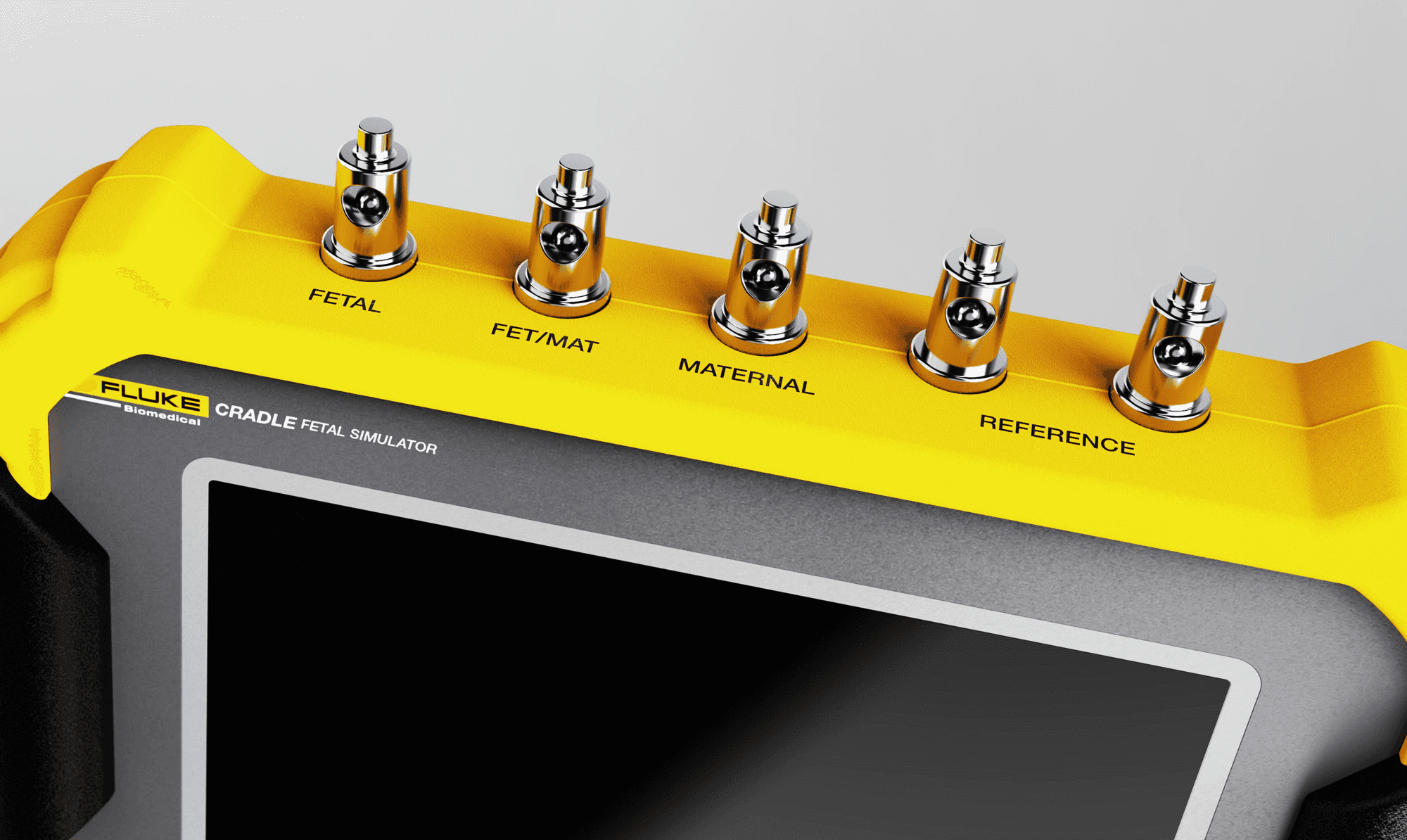
Purposeful Hardware Details
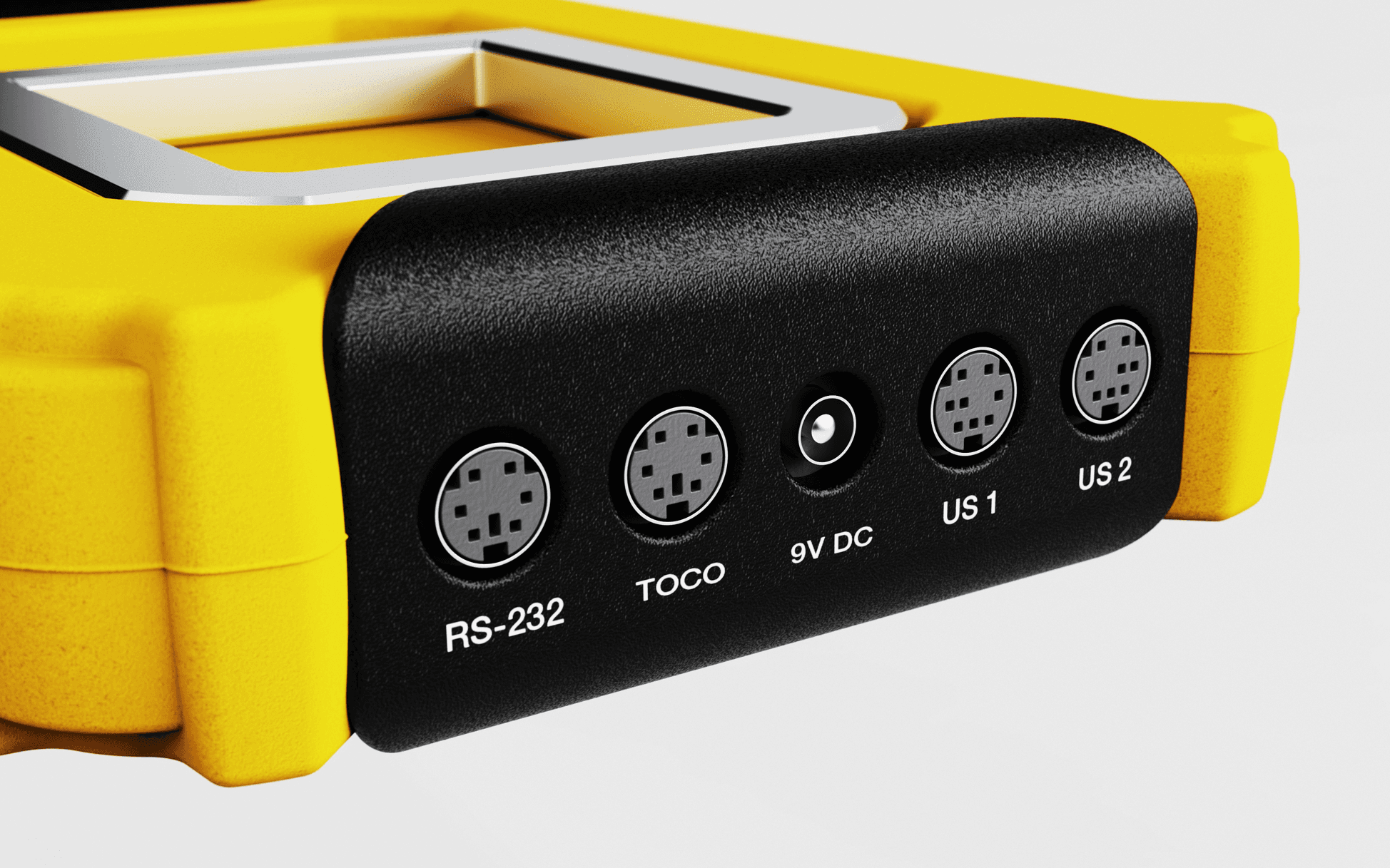
Clear labeling and integrated grips improve usability without compromising technical capability.
Cable Management
Plug-in ports and electrocardiogram (ECG) pins are separated to maintain a clean workspace and reduce confusion when identifying connections for different fetal monitor models.
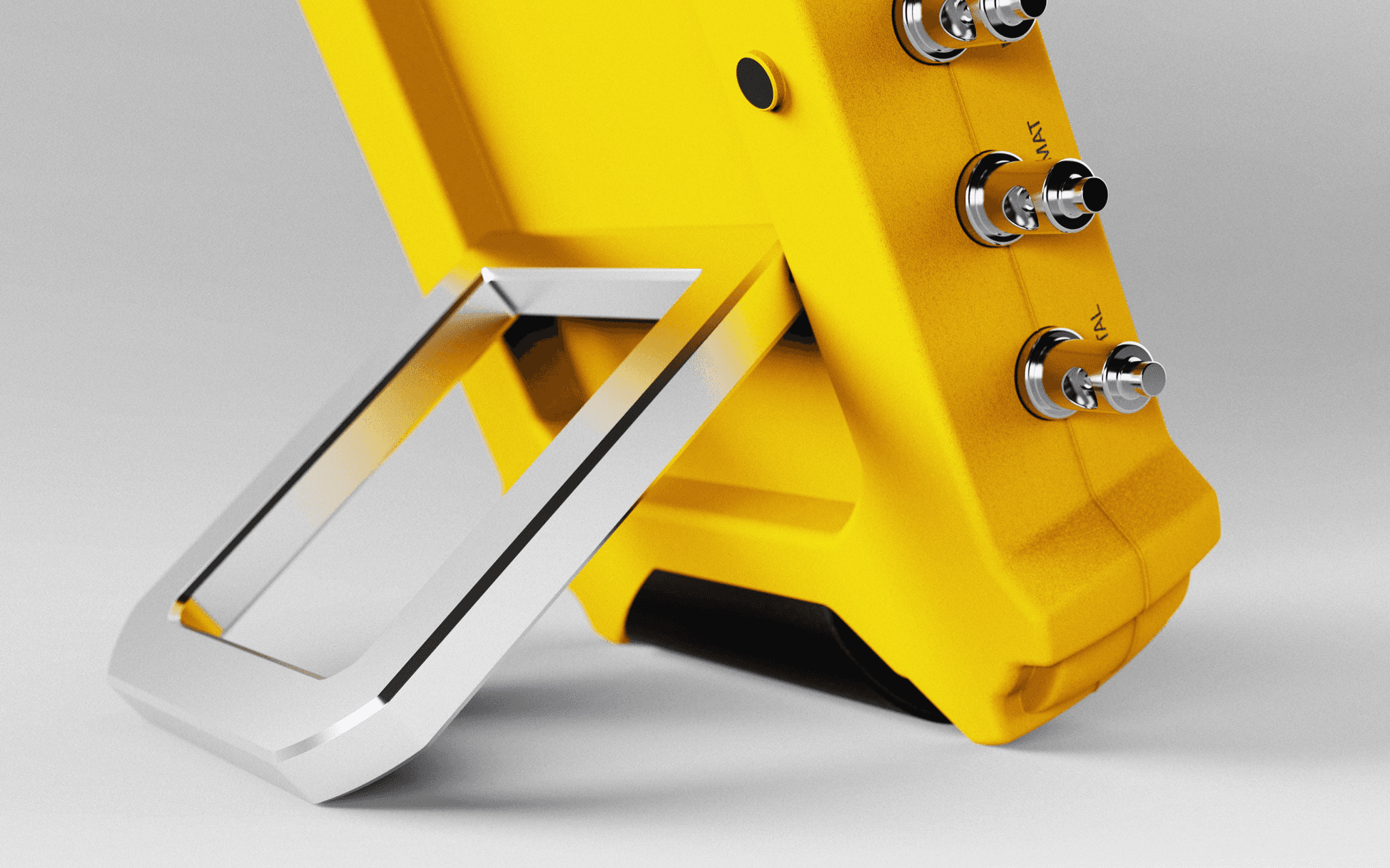
Vertical or Horizontal Use
The kickstand and form allow Fluke Cradle to adapt to different work environments and testing setups.
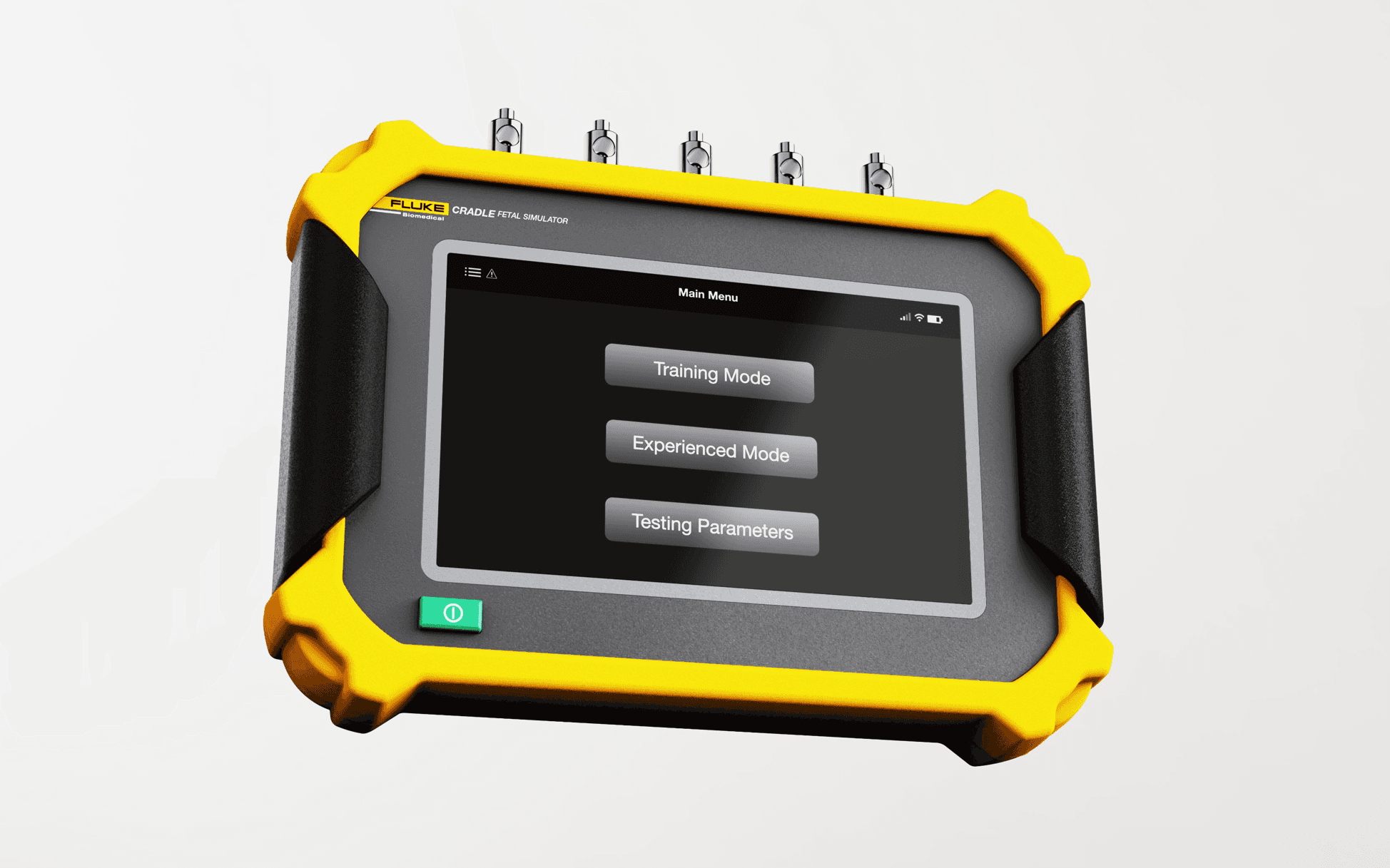
Three Settings
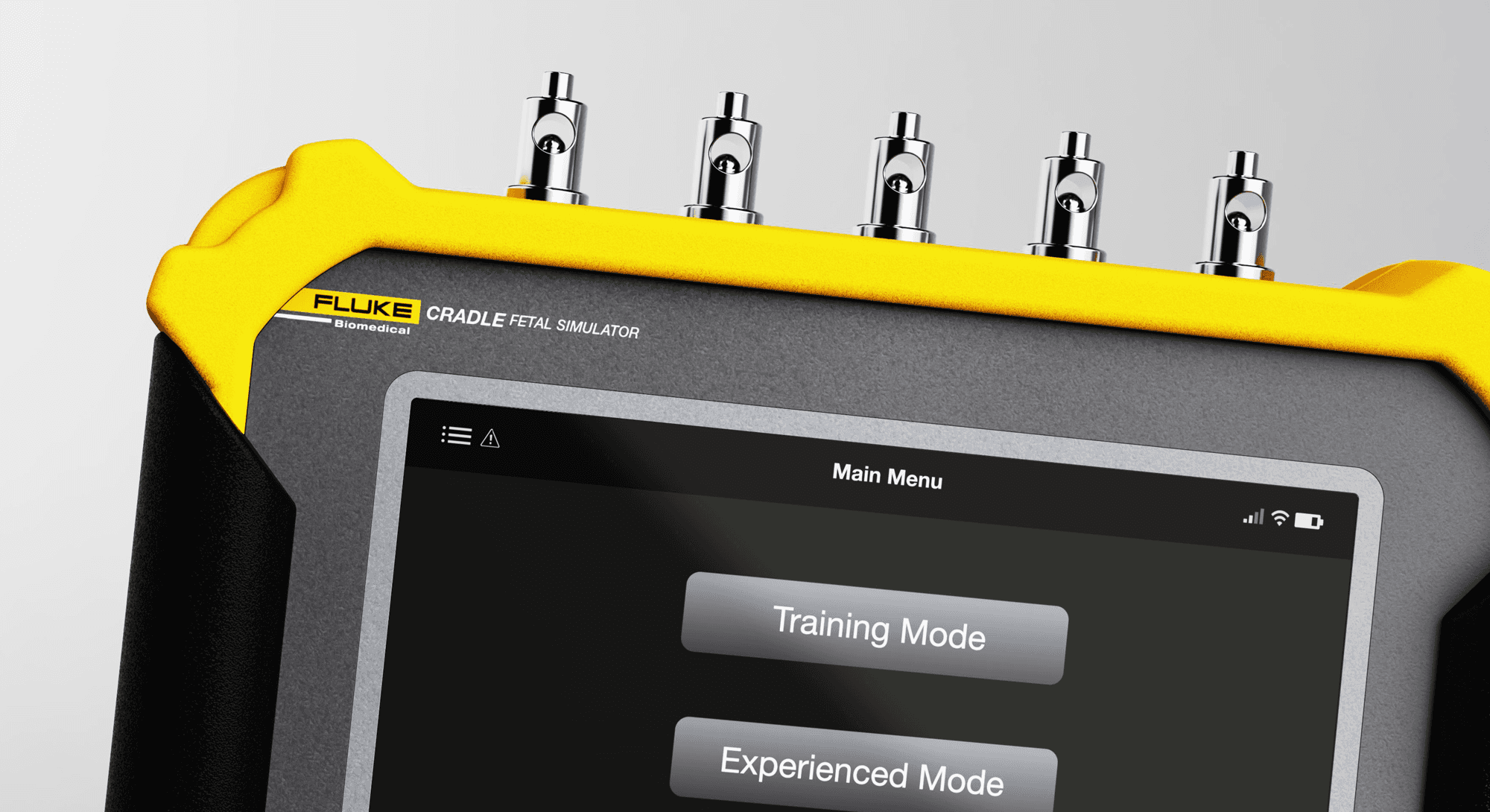
Depending on a user’s level of maintenance experience, Fluke Cradle offers three distinct settings: Training Mode, Experienced Mode, and Testing Parameters.
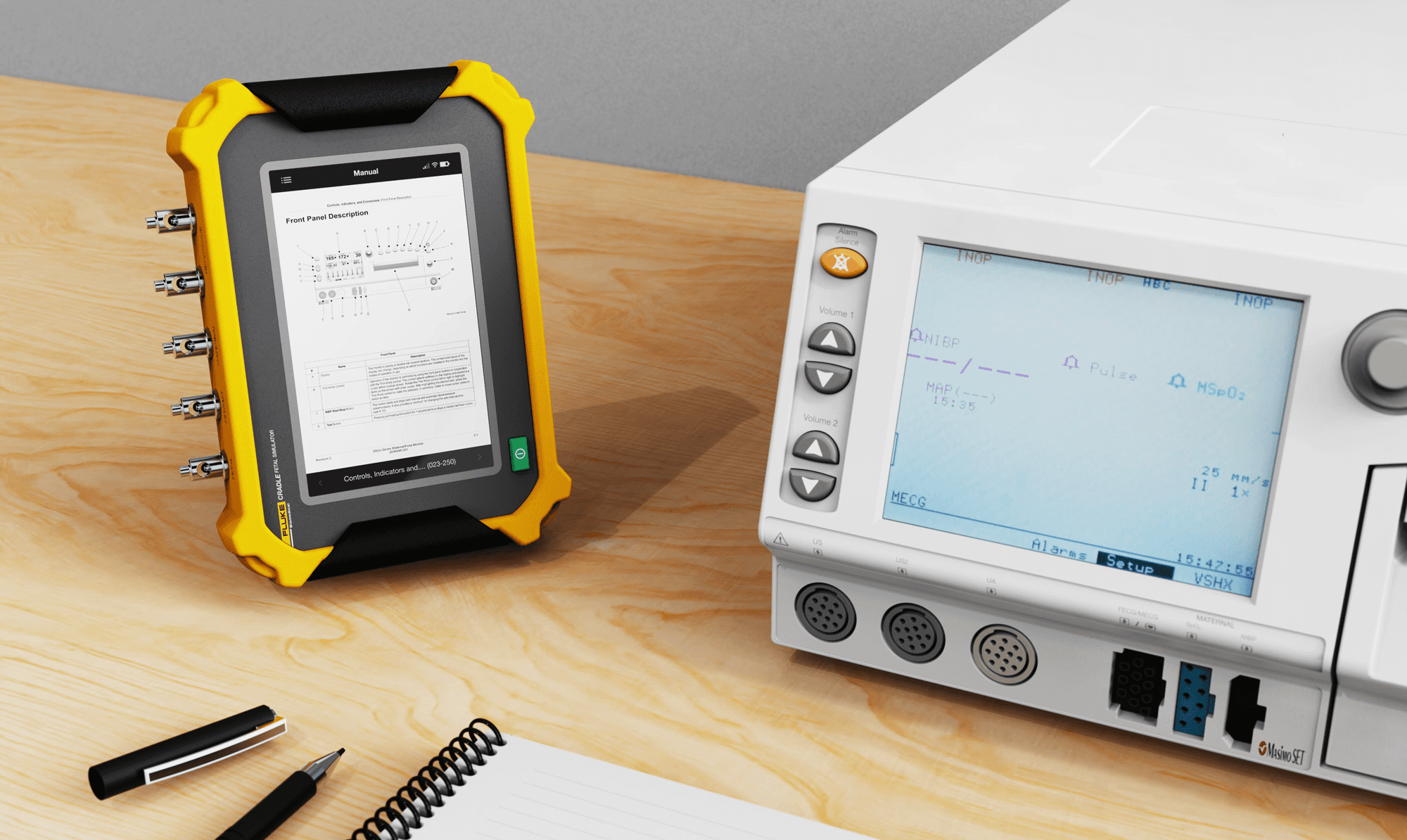
Automatic Model Recognition
Training and Experienced Mode use the rear camera to recognize a fetal monitor model and quickly pull up the appropriate manual in one place.
The camera-assisted interface automatically recognizes the patient monitor and loads the appropriate testing workflow, reducing setup time and uncertainty.
Training Mode
Training Mode provides visual diagrams and clear step-by-step instructions to confidently support technicians through maintenance procedures.
Experienced Mode
Experienced Mode provides the monitor manual and allows technicians to manually input testing parameters.
Testing Parameters
If a technician does not need manual guidance or model recognition, they can select Testing Parameters to go directly to the testing screens.
REFLECTION
Designing Beyond the Product
This project challenged me to think beyond the physical product and design an end-to-end maintenance experience. Balancing hardware, interface design, and engineering reinforced the value of designing physical and digital systems together to create more intuitive user experiences.
SOLUTION
An Intuitive Maintenance Companion
Fluke Cradle is an intelligent fetal simulator that streamlines maintenance workflows while adapting guidance to technicians of varying experience levels.
Purposeful Hardware Details
Clear labeling and integrated grips improve usability without compromising technical capability.
Cable Management
Plug-in ports and electrocardiogram (ECG) pins are separated to maintain a clean workspace and reduce confusion when identifying connections for different fetal monitor models.
Vertical or Horizontal Use
The kickstand and form allow Fluke Cradle to adapt to different work environments and testing setups.
Three Settings
Depending on a user’s level of maintenance experience, Fluke Cradle offers three distinct settings: Training Mode, Experienced Mode, and Testing Parameters.
Automatic Model Recognition
Training and Experienced Mode use the rear camera to recognize a fetal monitor model and quickly pull up the appropriate manual in one place.
The camera-assisted interface automatically recognizes the patient monitor and loads the appropriate testing workflow, reducing setup time and uncertainty.
Training Mode
Training Mode provides visual diagrams and clear step-by-step instructions to confidently support technicians through maintenance procedures.
Experienced Mode
Experienced Mode provides the monitor manual and allows technicians to manually input testing parameters.
Testing Parameters
If a technician does not need manual guidance or model recognition, they can select Testing Parameters to go directly to the testing screens.
REFLECTION
Designing Beyond the Product
This project challenged me to think beyond the physical product and design an end-to-end maintenance experience. Balancing hardware, interface design, and engineering reinforced the value of designing physical and digital systems together to create more intuitive user experiences.
©2026 MRMD
©2026 MRMD
©2026 MRMD