GAKKI
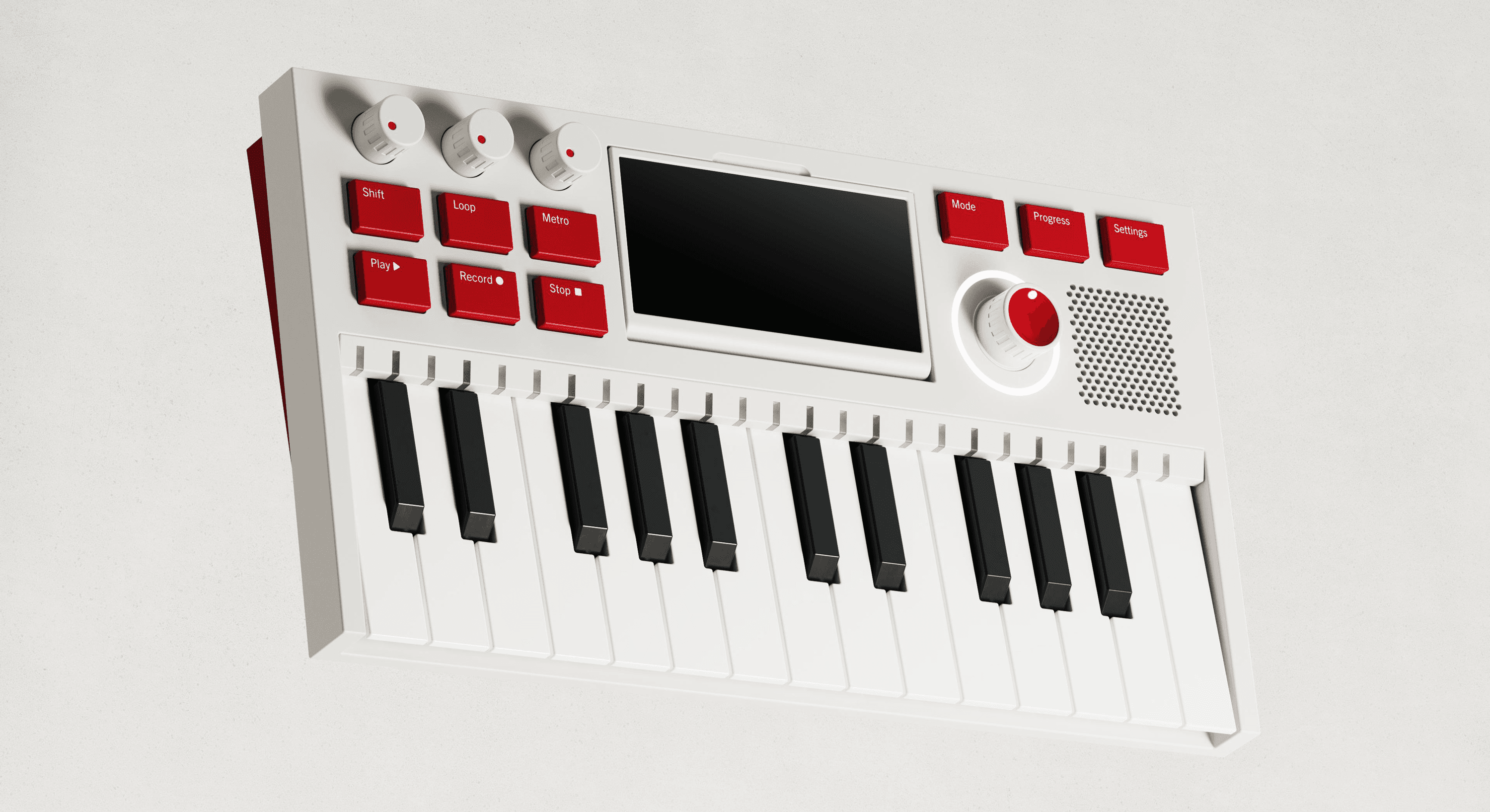
A hands-on digital music instrument designed to introduce children to composition through play. By combining tactile controls with flexible digital sound-making, Gakki explores how a music tool can grow with its user — from early experimentation to more advanced creative work.
ROLE
Industrial Design
UX / UI Design
TIMELINE
Winter 2025
Ten Weeks
STUDIO SPONSOR
Tactile Inc.
GAKKI
A hands-on digital music instrument designed to introduce children to composition through play. By combining tactile controls with flexible digital sound-making, Gakki explores how a music tool can grow with its user — from early experimentation to more advanced creative work.
ROLE
Industrial Design
UX / UI Design
TIMELINE
Winter 2025
Ten Weeks
STUDIO SPONSOR
Tactile Inc.

CONTEXT
Screens Lower Barriers to Composition
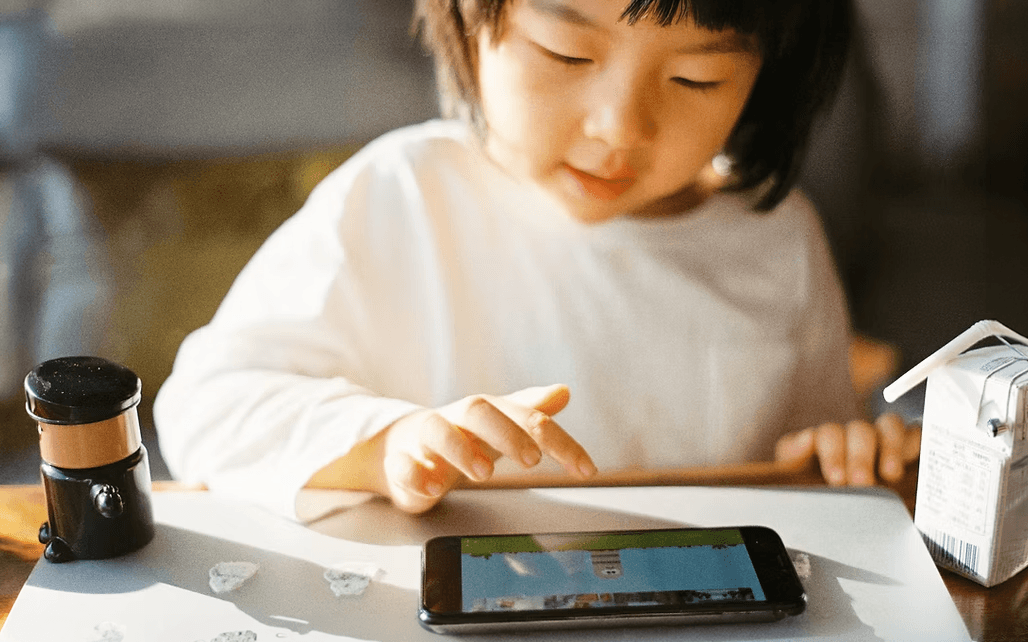
As digital music tools lower the barrier to creation, more young users are engaging in composition—drawn to the ability to layer, loop, edit, and experiment without years of technical training. However, this accessibility is often mediated entirely through screens.
DESIGN OPPORTUNITY
Bringing Tactility Back to Music
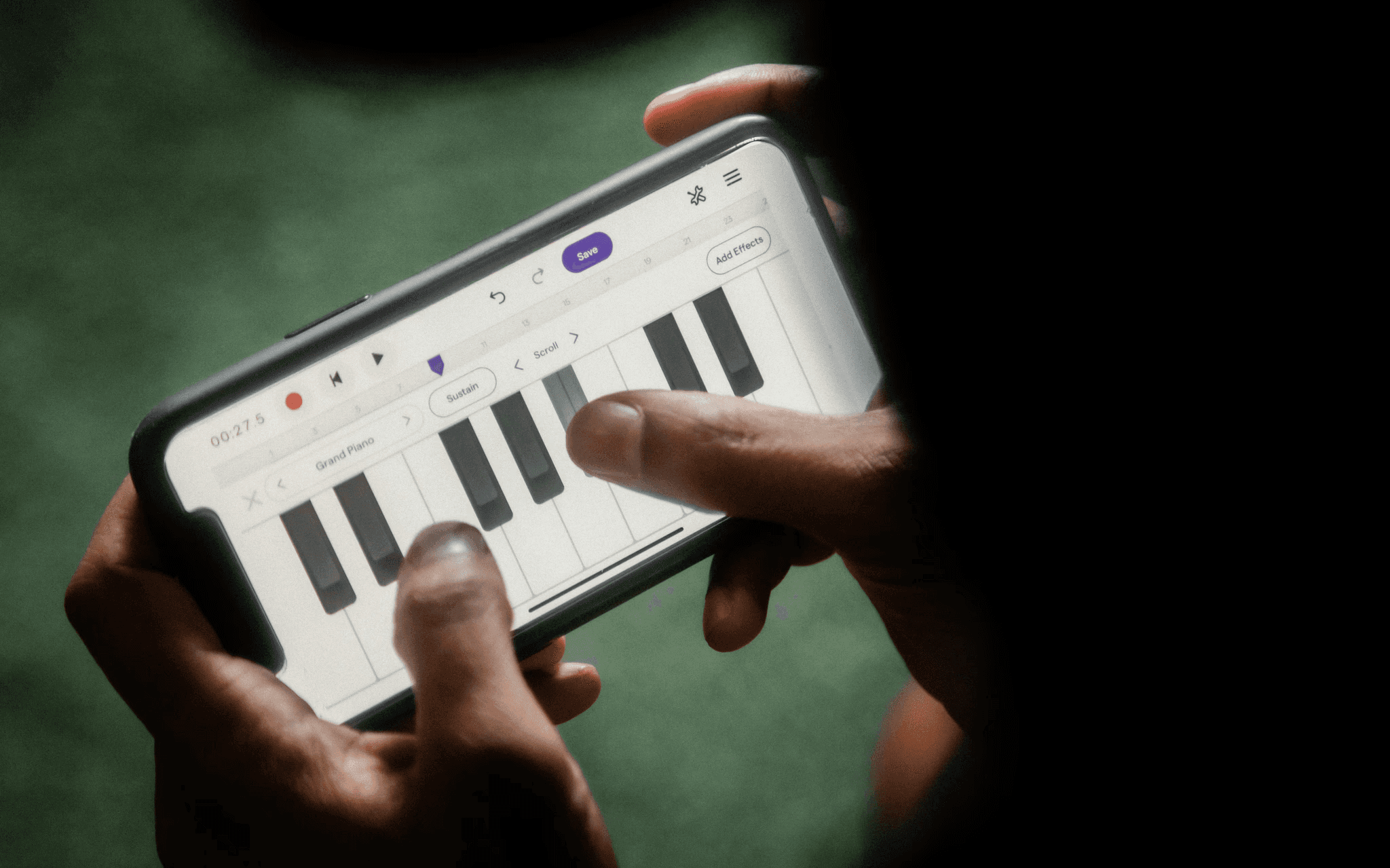
While software enables accessibility, physical interaction can make music creation more engaging, expressive, and intuitive.
MARKET LANDSCAPE
Gap Between Play and Professional Tools
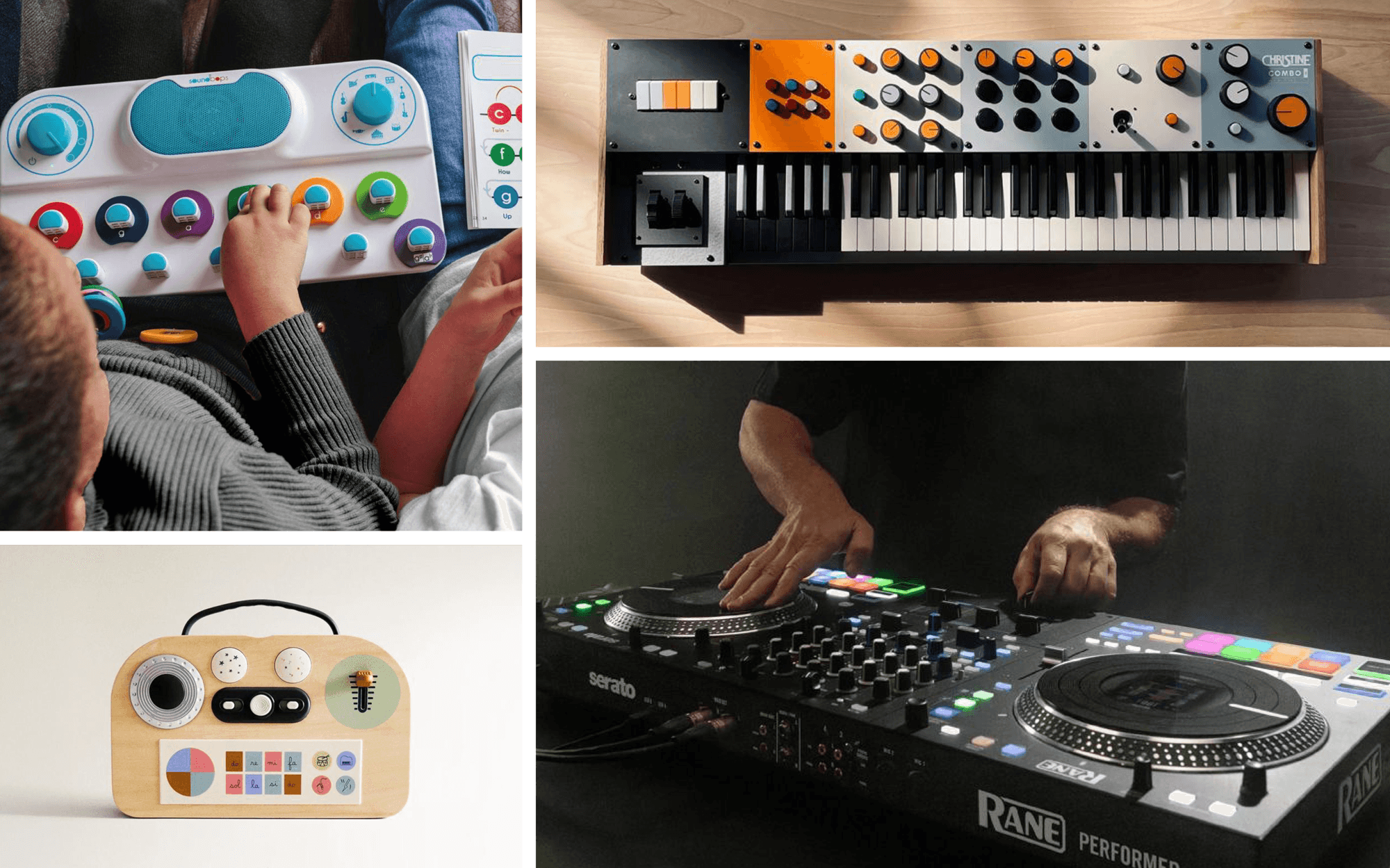
Entry-level music products encourage playfulness and accessibility, but often lack room for creative growth. Professional tools provide greater control and flexibility, yet their complexity can feel intimidating for emerging musicians.
CONTEXT
Screens Lower Barriers to Composition
As digital music tools lower the barrier to creation, more young users are engaging in composition—drawn to the ability to layer, loop, edit, and experiment without years of technical training. However, this accessibility is often mediated entirely through screens.
DESIGN OPPORTUNITY
Bringing Tactility Back to Music
While software enables accessibility, physical interaction can make music creation more engaging, expressive, and intuitive.
MARKET LANDSCAPE
Gap Between Play and Professional Tools
Entry-level music products encourage playfulness and accessibility, but often lack room for creative growth. Professional tools provide greater control and flexibility, yet their complexity can feel intimidating for emerging musicians.
CONTEXT
Screens Lower Barriers to Composition
As digital music tools lower the barrier to creation, more young users are engaging in composition—drawn to the ability to layer, loop, edit, and experiment without years of technical training. However, this accessibility is often mediated entirely through screens.
DESIGN OPPORTUNITY
Bringing Tactility Back to Music
While software enables accessibility, physical interaction can make music creation more engaging, expressive, and intuitive.
MARKET LANDSCAPE
Gap Between Play and Professional Tools
Entry-level music products encourage playfulness and accessibility, but often lack room for creative growth. Professional tools provide greater control and flexibility, yet their complexity can feel intimidating for emerging musicians.
THE GOAL
Develop a hands-on music-making device that supports digital composition through play, experimentation, and physical interaction.

01
Progressive Learning
Support a clear progression from open-ended play to structured music-making.
02
Tactile Exploration
Encourage spontaneous exploration through intuitive yet tactile interactions.
03
Creative Ownership
Help users feel agency and ownership by making music that feels real and expressive.
THE GOAL
Develop a hands-on music-making device that supports digital composition through play, experimentation, and physical interaction.
01
Progressive Learning
Support a clear progression from open-ended play to structured music-making.
02
Tactile Exploration
Encourage spontaneous exploration through intuitive yet tactile interactions.
03
Creative Ownership
Help users feel agency and ownership by making music that feels real and expressive.
THE GOAL
Develop a hands-on music-making device that supports digital composition through play, experimentation, and physical interaction.
01
Progressive Learning
Support a clear progression from open-ended play to structured music-making.
02
Tactile Exploration
Encourage spontaneous exploration through intuitive yet tactile interactions.
03
Creative Ownership
Help users feel agency and ownership by making music that feels real and expressive.
DESIGN LANGUAGE
Playful. Expressive. Intentional.
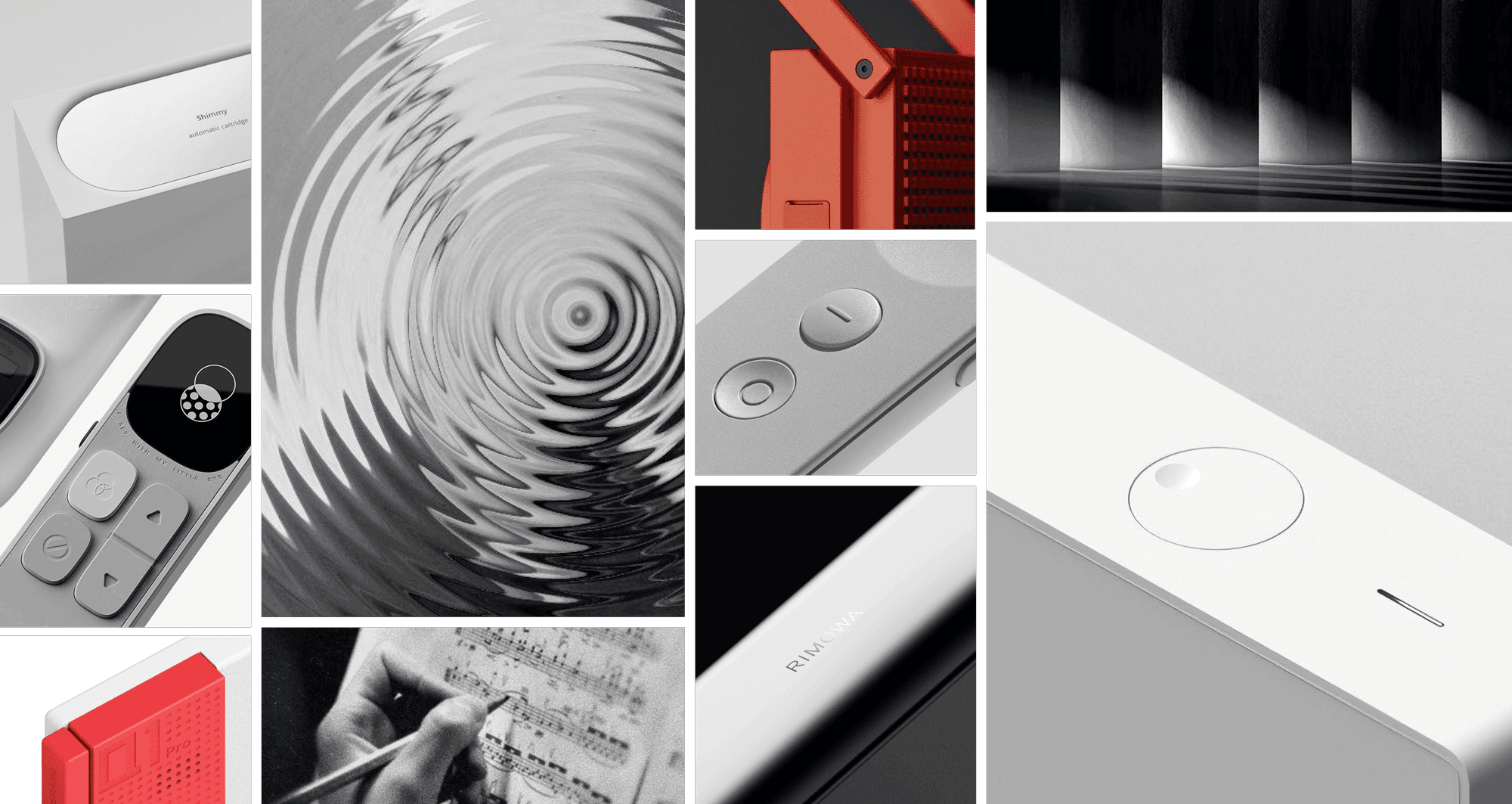
Gakki should feel playful without being childish, expressive without becoming overwhelming, and intentional in every interaction.
CONCEPT EXPLORATION
Learning Through Iteration
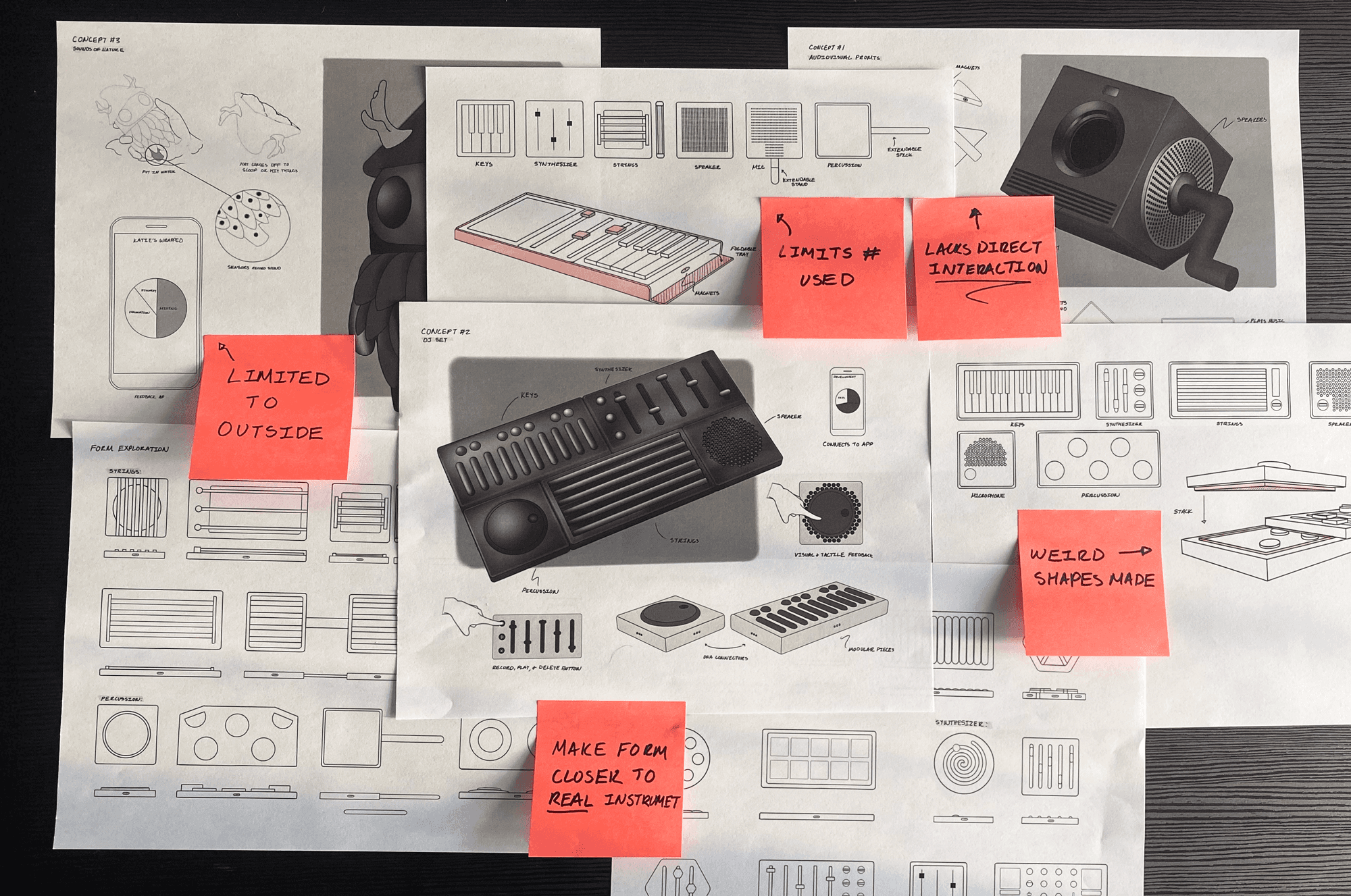
Initial concepts explored modular music interfaces inspired by professional instruments. Through sketching and critique, opportunities emerged to simplify interactions, reduce visual complexity, and create a more approachable learning experience.
DESIGN PIVOT
Turning Point
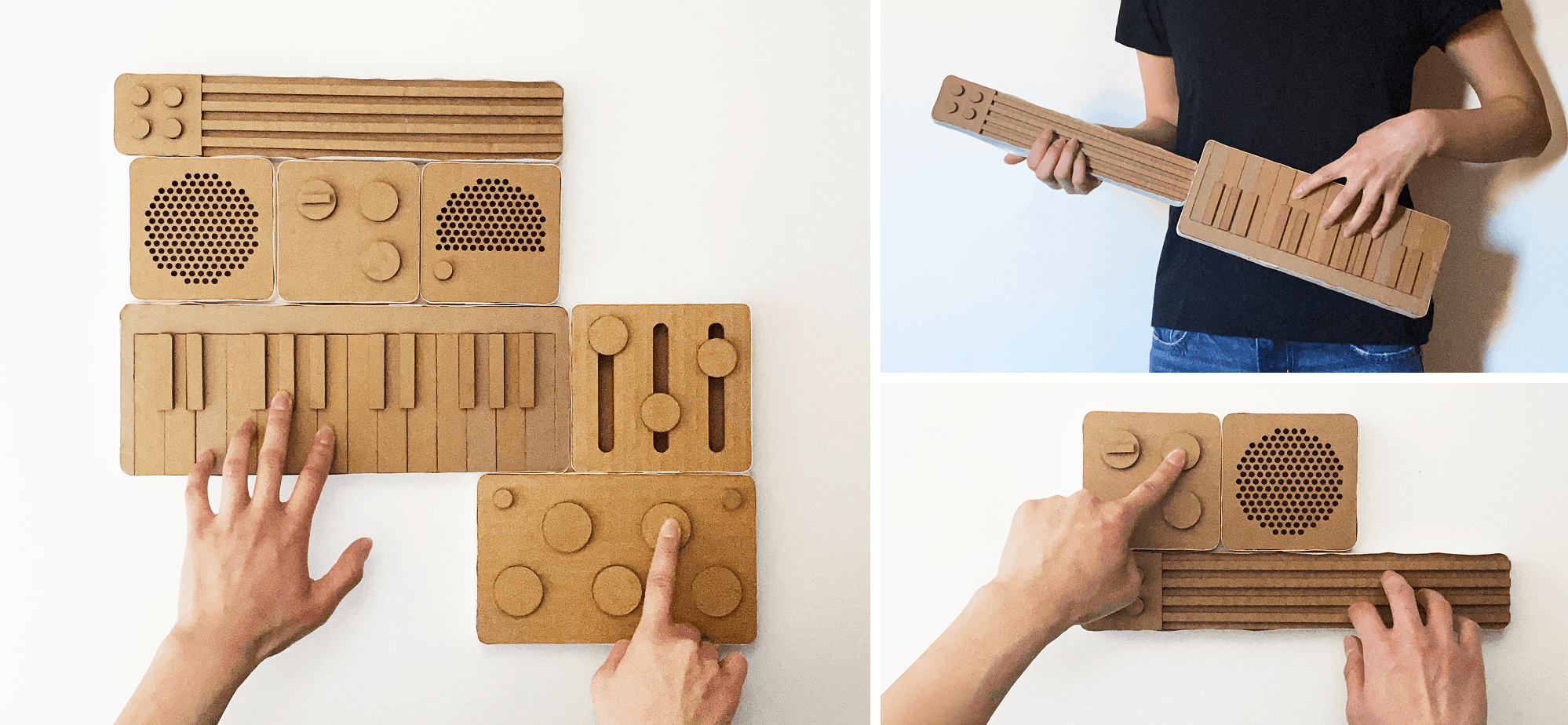
User testing revealed that the modular system introduced unnecessary complexity and lacked a clear learning path. This insight shifted the design toward a more integrated instrument with built-in visual guidance that better supported exploration and skill development.
DESIGN DIRECTION
Building Around a Familiar Instrument
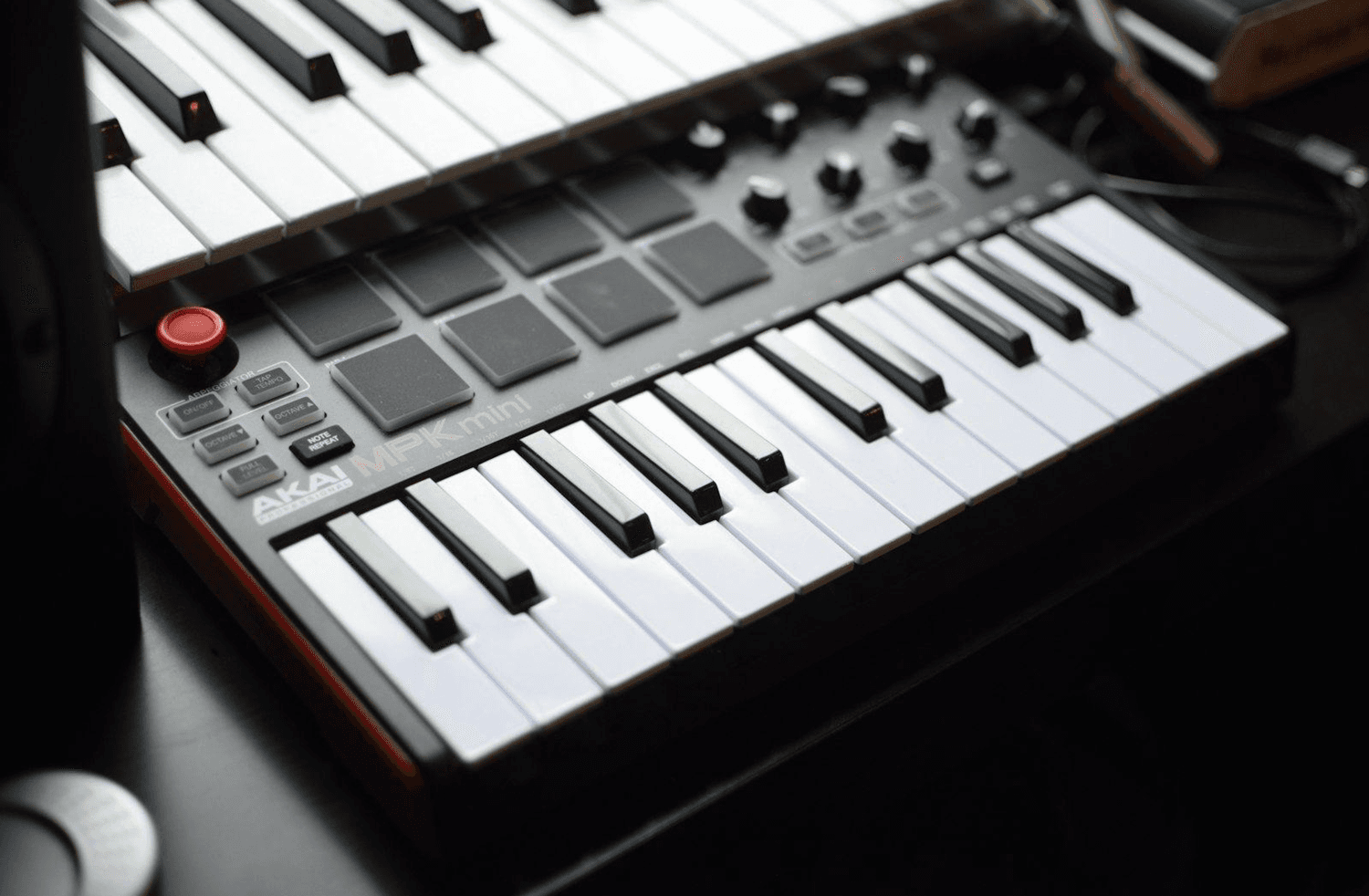
A MIDI keyboard provided a familiar foundation that balanced accessibility with creative depth. By organizing musical interactions around a recognizable layout, the design established a clear path from exploration to expressive music making.
DESIGN LANGUAGE
Playful. Expressive. Intentional.
Gakki should feel playful without being childish, expressive without becoming overwhelming, and intentional in every interaction.
CONCEPT EXPLORATION
Learning Through Iteration
Initial concepts explored modular music interfaces inspired by professional instruments. Through sketching and critique, opportunities emerged to simplify interactions, reduce visual complexity, and create a more approachable learning experience.
DESIGN PIVOT
Turning Point
User testing revealed that the modular system introduced unnecessary complexity and lacked a clear learning path. This insight shifted the design toward a more integrated instrument with built-in visual guidance that better supported exploration and skill development.
DESIGN DIRECTION
Building Around a Familiar Instrument
A MIDI keyboard provided a familiar foundation that balanced accessibility with creative depth. By organizing musical interactions around a recognizable layout, the design established a clear path from exploration to expressive music making.
DESIGN LANGUAGE
Playful. Expressive. Intentional.
Gakki should feel playful without being childish, expressive without becoming overwhelming, and intentional in every interaction.
CONCEPT EXPLORATION
Learning Through Iteration
Initial concepts explored modular music interfaces inspired by professional instruments. Through sketching and critique, opportunities emerged to simplify interactions, reduce visual complexity, and create a more approachable learning experience.
DESIGN PIVOT
Turning Point
User testing revealed that the modular system introduced unnecessary complexity and lacked a clear learning path. This insight shifted the design toward a more integrated instrument with built-in visual guidance that better supported exploration and skill development.
DESIGN DIRECTION
Building Around a Familiar Instrument
A MIDI keyboard provided a familiar foundation that balanced accessibility with creative depth. By organizing musical interactions around a recognizable layout, the design established a clear path from exploration to expressive music making.
PRODUCT ARCHITECTURE
Refining the Product Layout
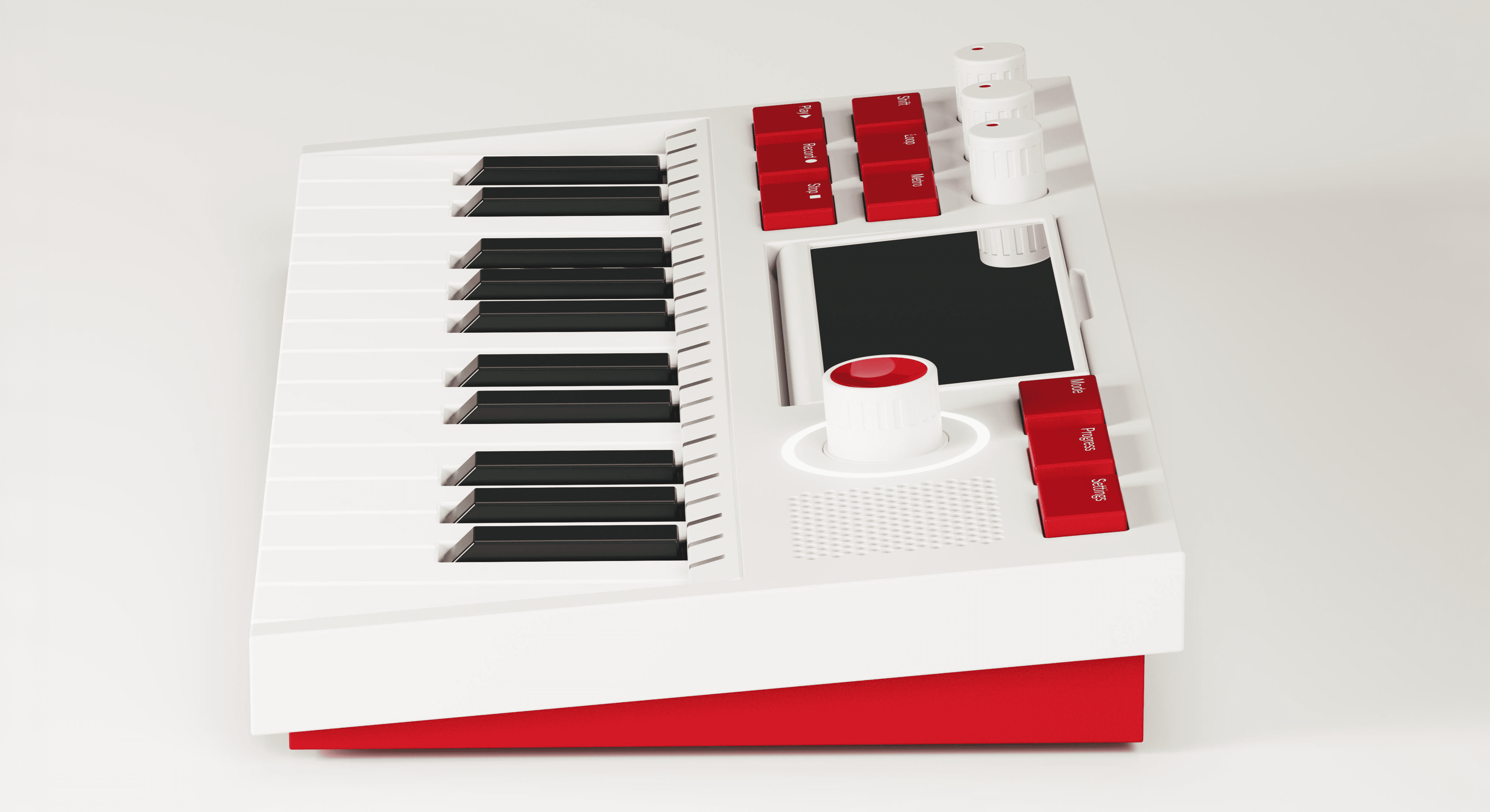
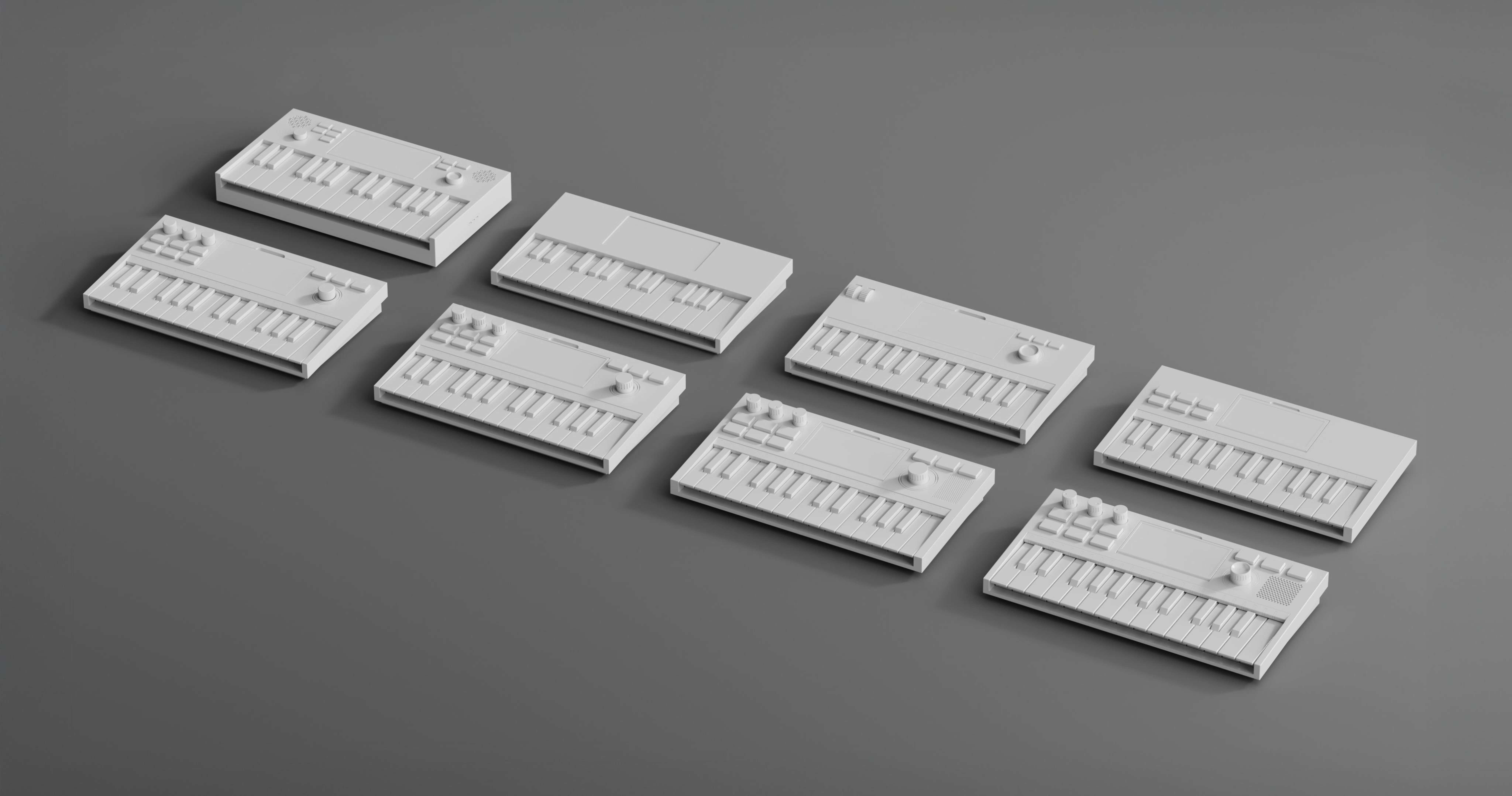
CAD iterations explored the placement of keys, controls, speakers, and the display, refining the product architecture to create a more intuitive and approachable music-making experience.
FORM DEVELOPMENT
Refining Through Prototyping
Physical prototypes were used throughout development to refine component layout, ergonomics, and interaction. Iterative testing informed everything from key spacing and control sizing to the overall form, creating a more intuitive and comfortable music-making experience.
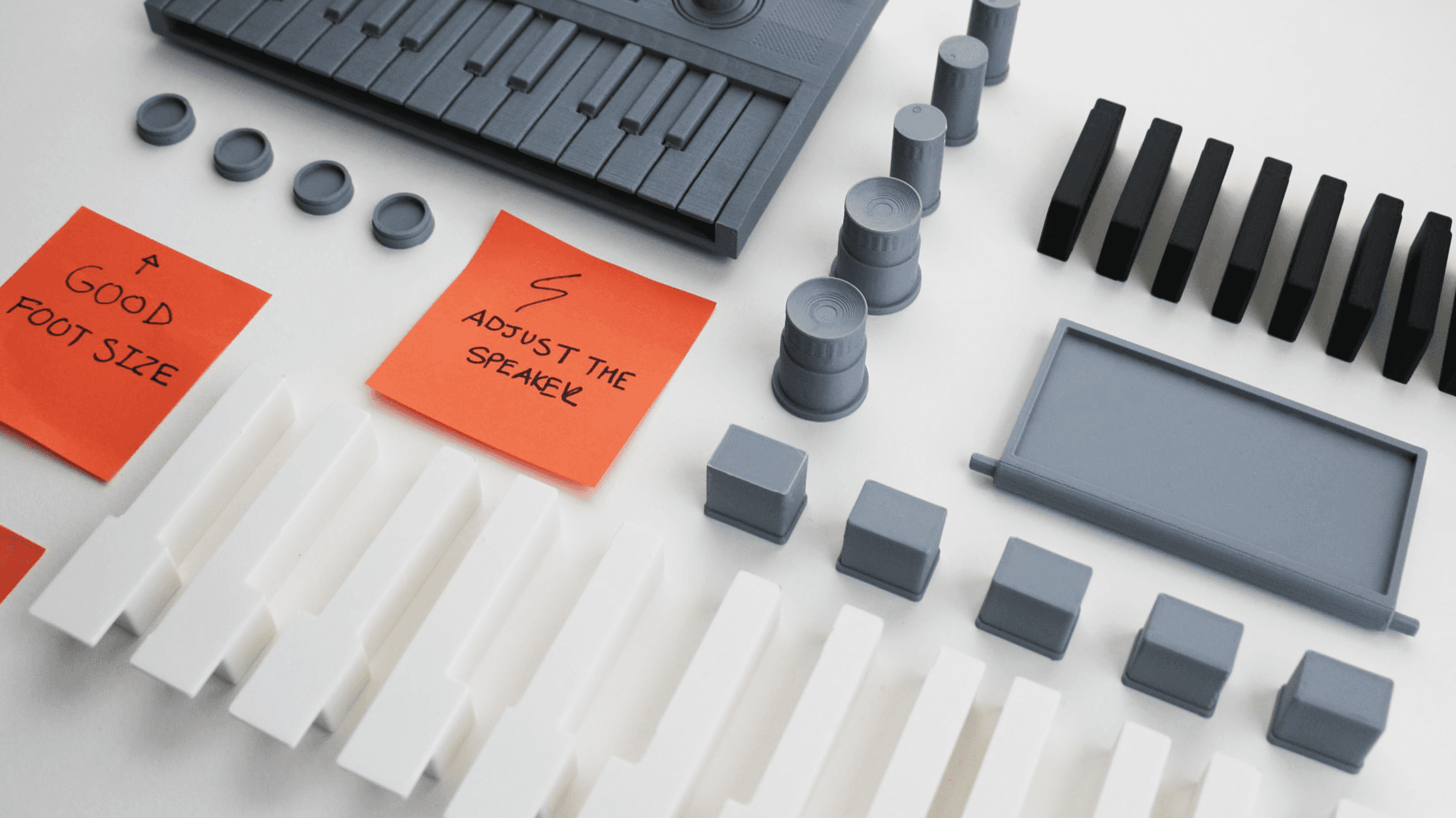
Feedback guided revisions to the component layout, proportions, and interaction design, improving usability while supporting the learning experience.
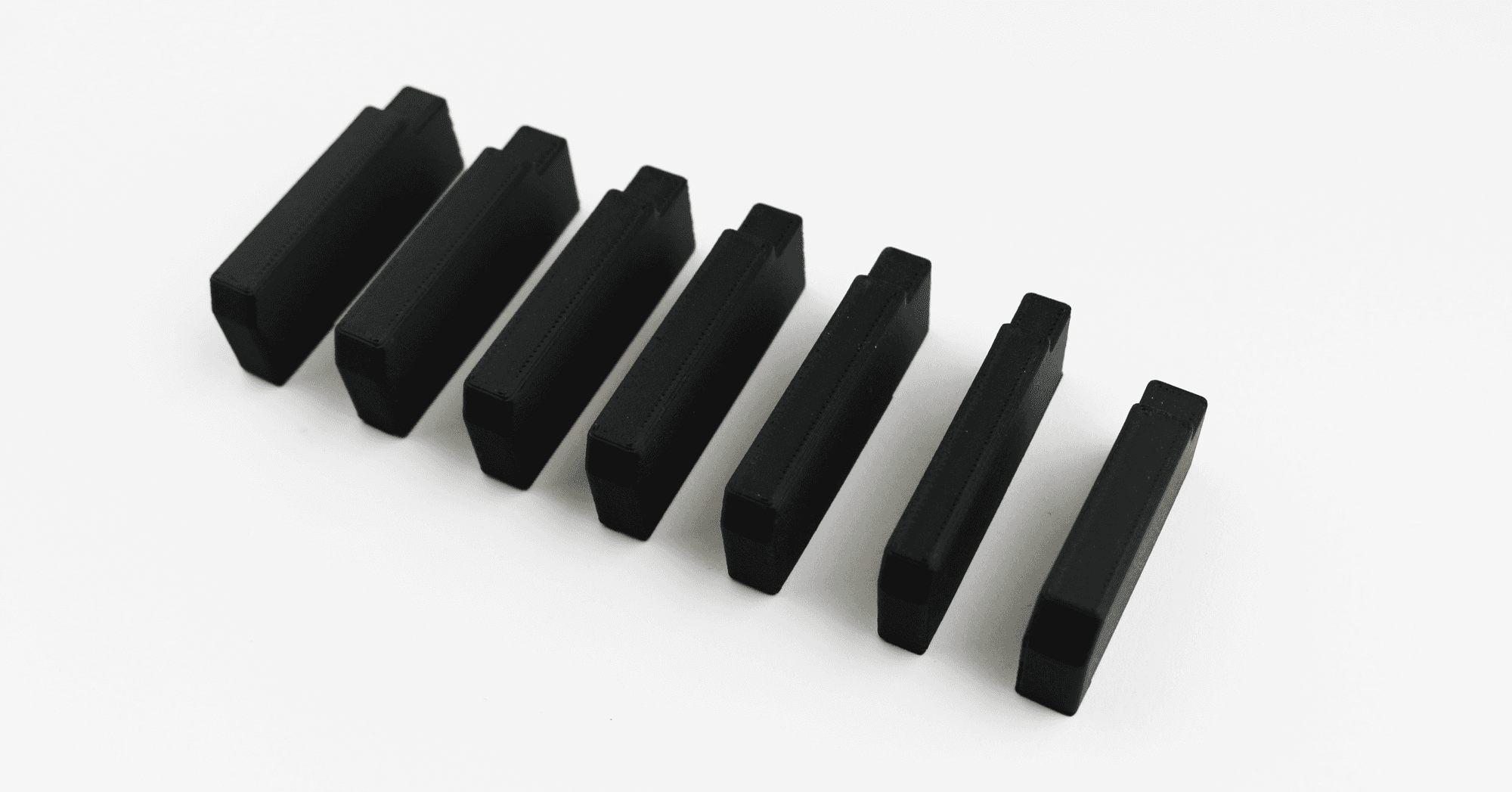
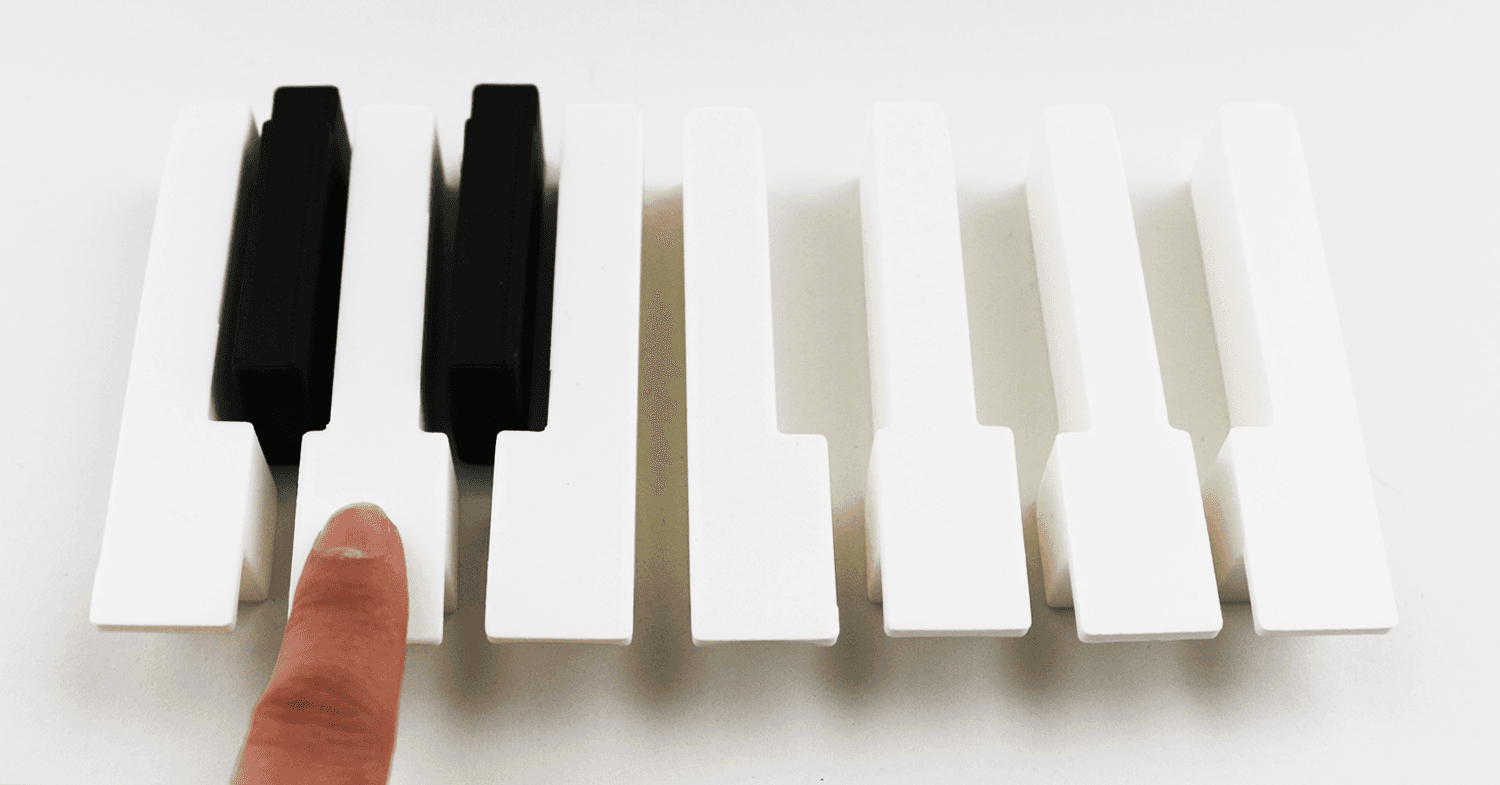
Multiple key sizes and spacing were evaluated to create comfortable and responsive interactions.
PRODUCT ARCHITECTURE
Refining the Product Layout
CAD iterations explored the placement of keys, controls, speakers, and the display, refining the product architecture to create a more intuitive and approachable music-making experience.
FORM DEVELOPMENT
Refining Through Prototyping
Physical prototypes were used throughout development to refine component layout, ergonomics, and interaction. Iterative testing informed everything from key spacing and control sizing to the overall form, creating a more intuitive and comfortable music-making experience.
Feedback guided revisions to the component layout, proportions, and interaction design, improving usability while supporting the learning experience.
Multiple key sizes and spacing were evaluated to create comfortable and responsive interactions.
PRODUCT ARCHITECTURE
Refining the Product Layout
CAD iterations explored the placement of keys, controls, speakers, and the display, refining the product architecture to create a more intuitive and approachable music-making experience.
FORM DEVELOPMENT
Refining Through Prototyping
Physical prototypes were used throughout development to refine component layout, ergonomics, and interaction. Iterative testing informed everything from key spacing and control sizing to the overall form, creating a more intuitive and comfortable music-making experience.
Feedback guided revisions to the component layout, proportions, and interaction design, improving usability while supporting the learning experience.
Multiple key sizes and spacing were evaluated to create comfortable and responsive interactions.
SOLUTION
An Instrument for Creative Exploration
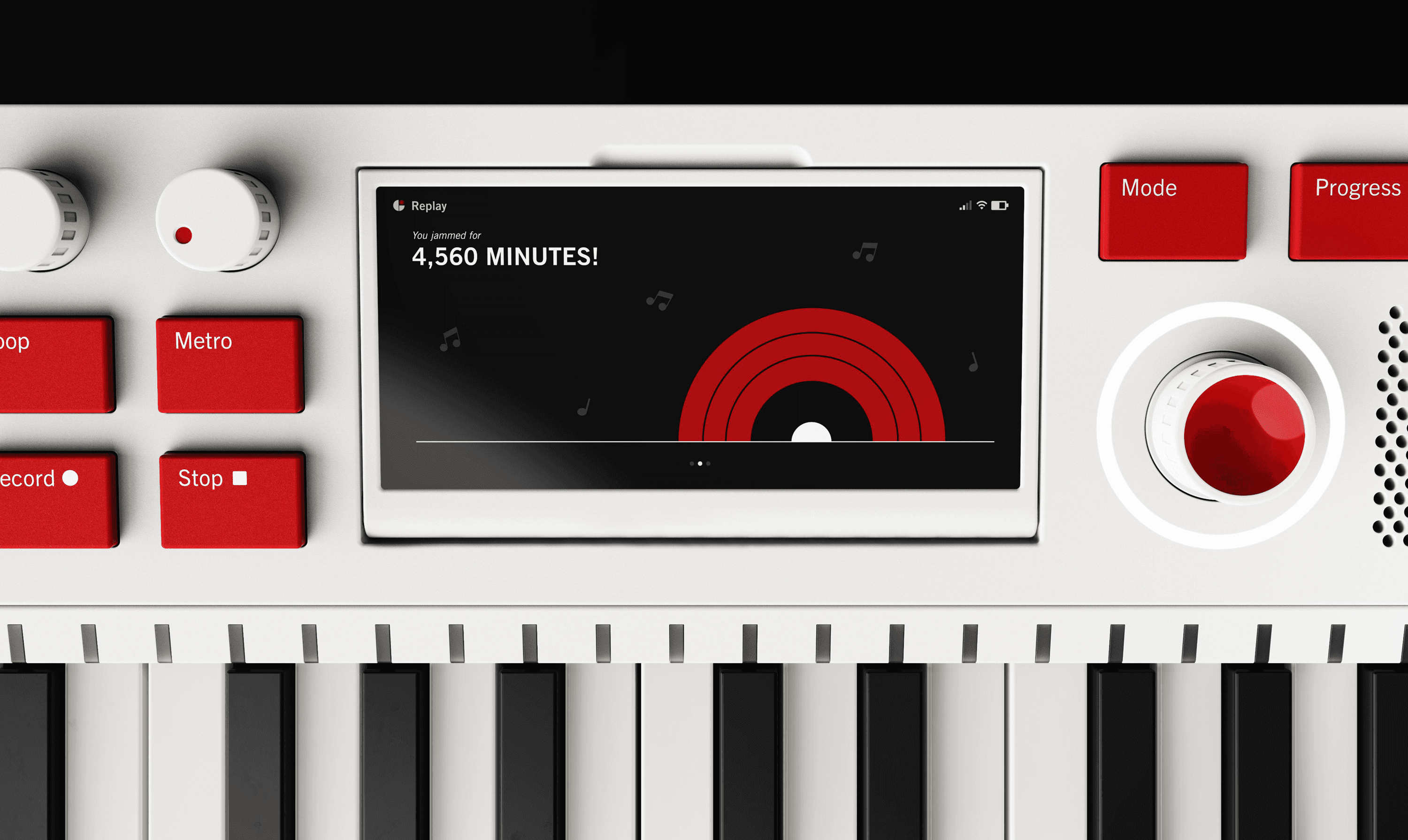
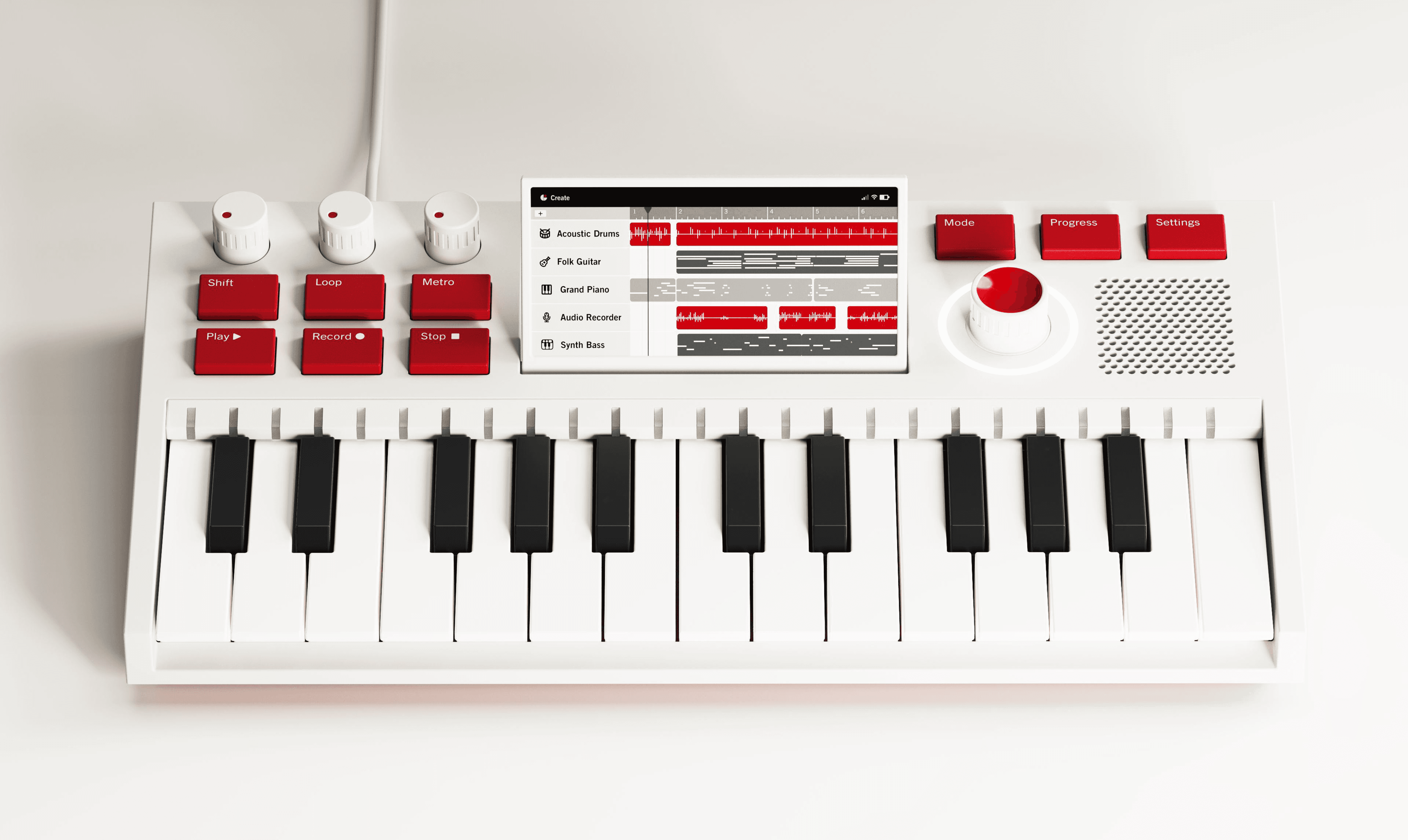
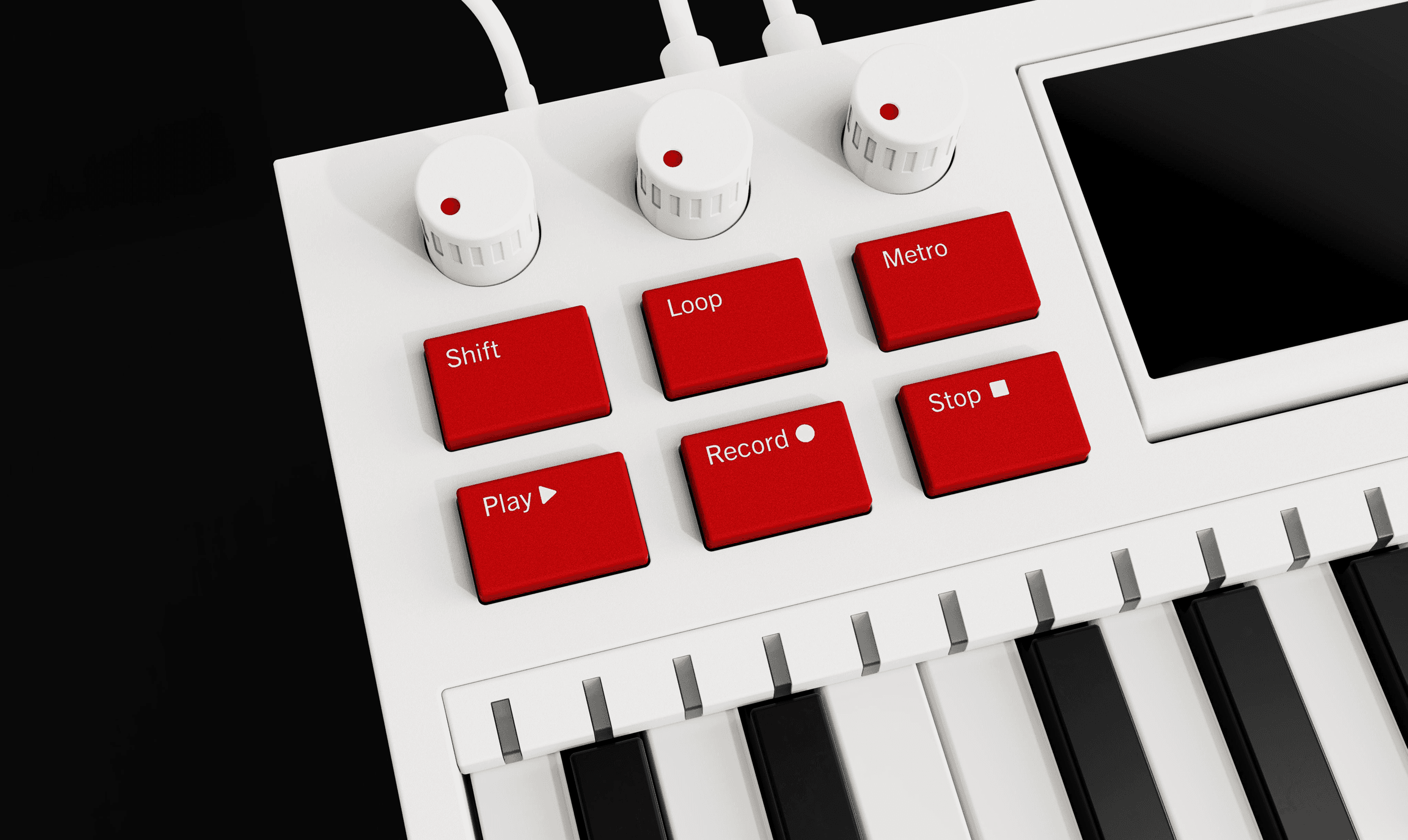
Gakki is a hands-on music creation device that combines tactile interaction with digital guidance, helping beginners build confidence through playful exploration while supporting continued creative growth.
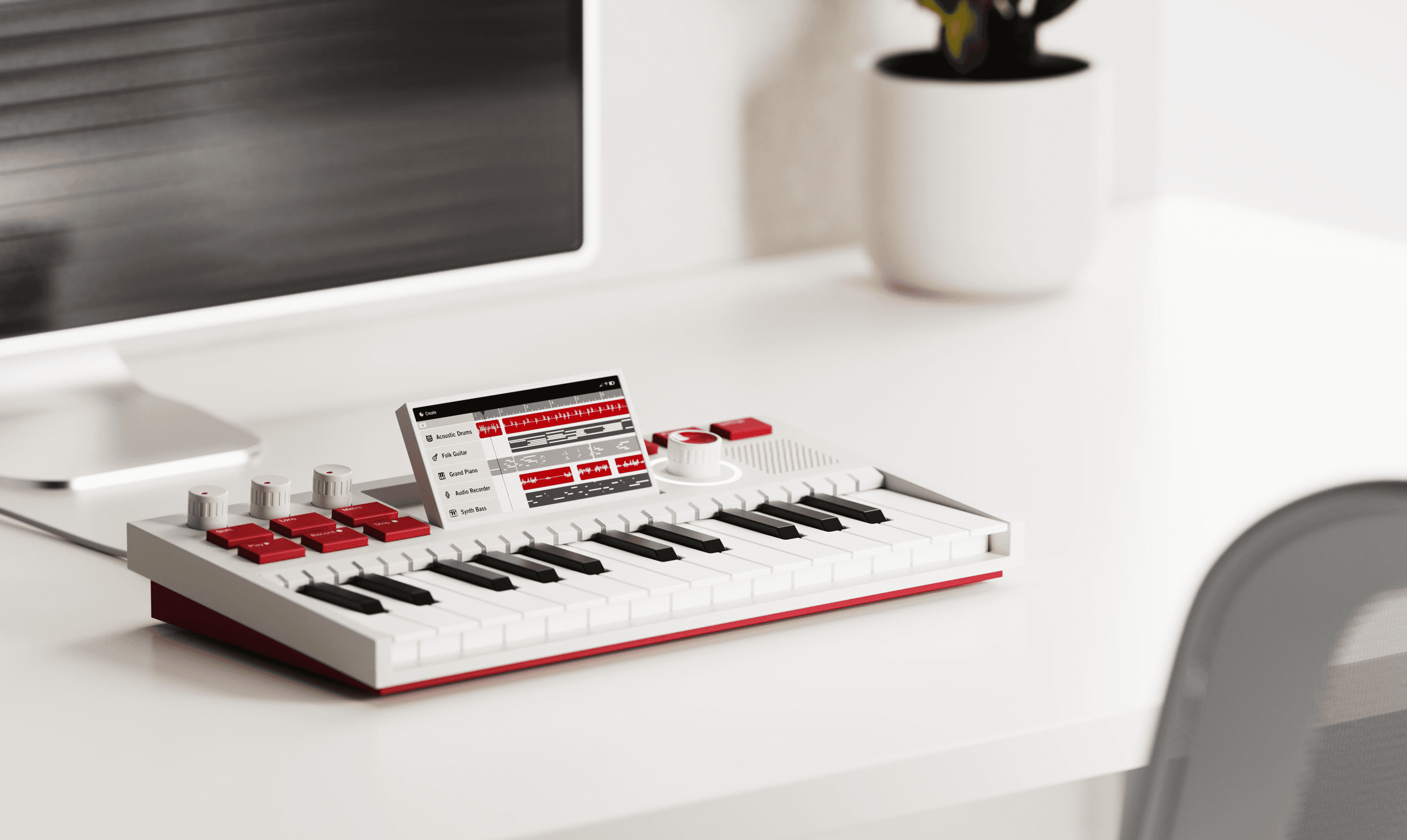
Flip-up Screen
The tilting screen accommodates different postures and setups, keeping information legible while playing and learning.
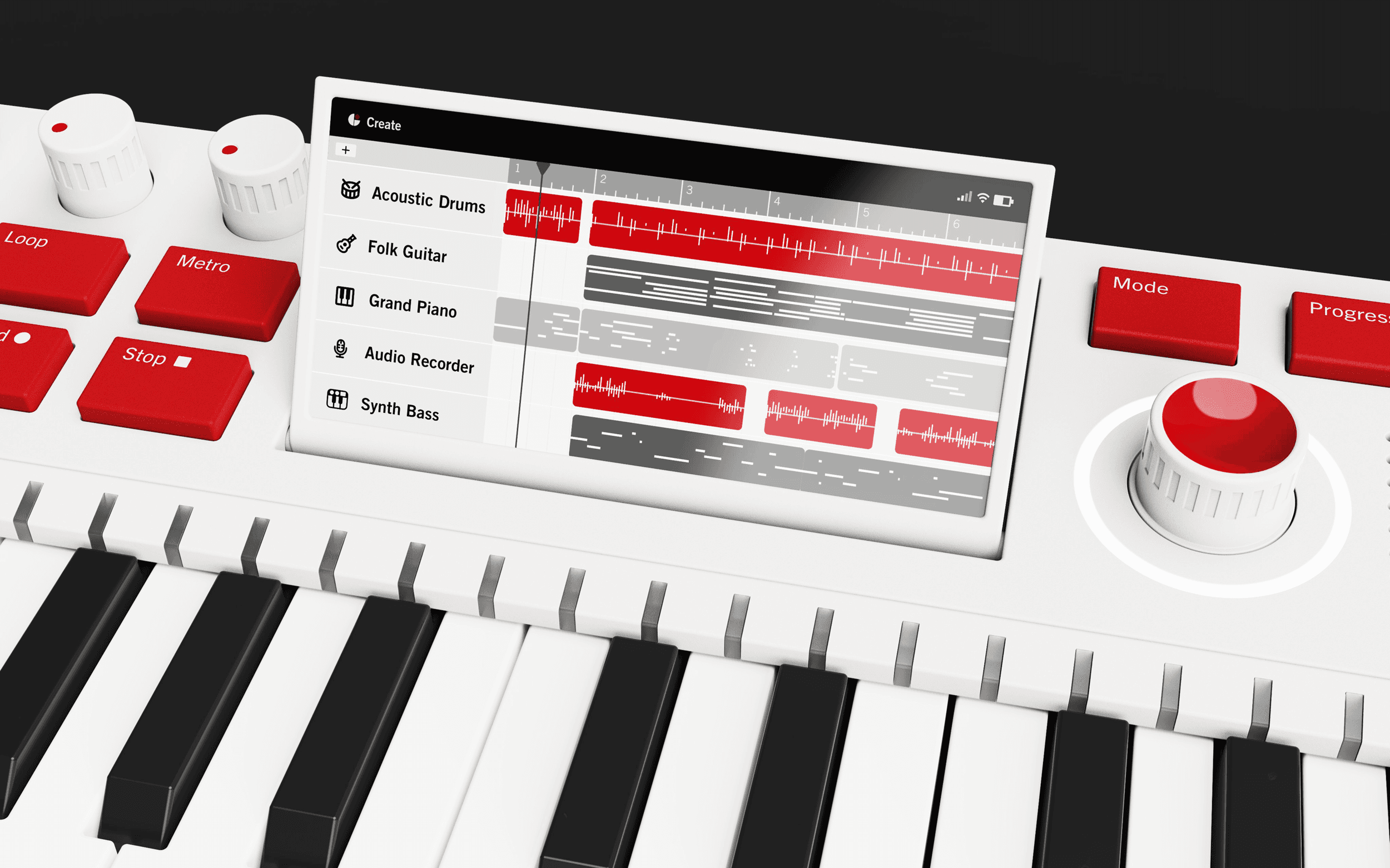
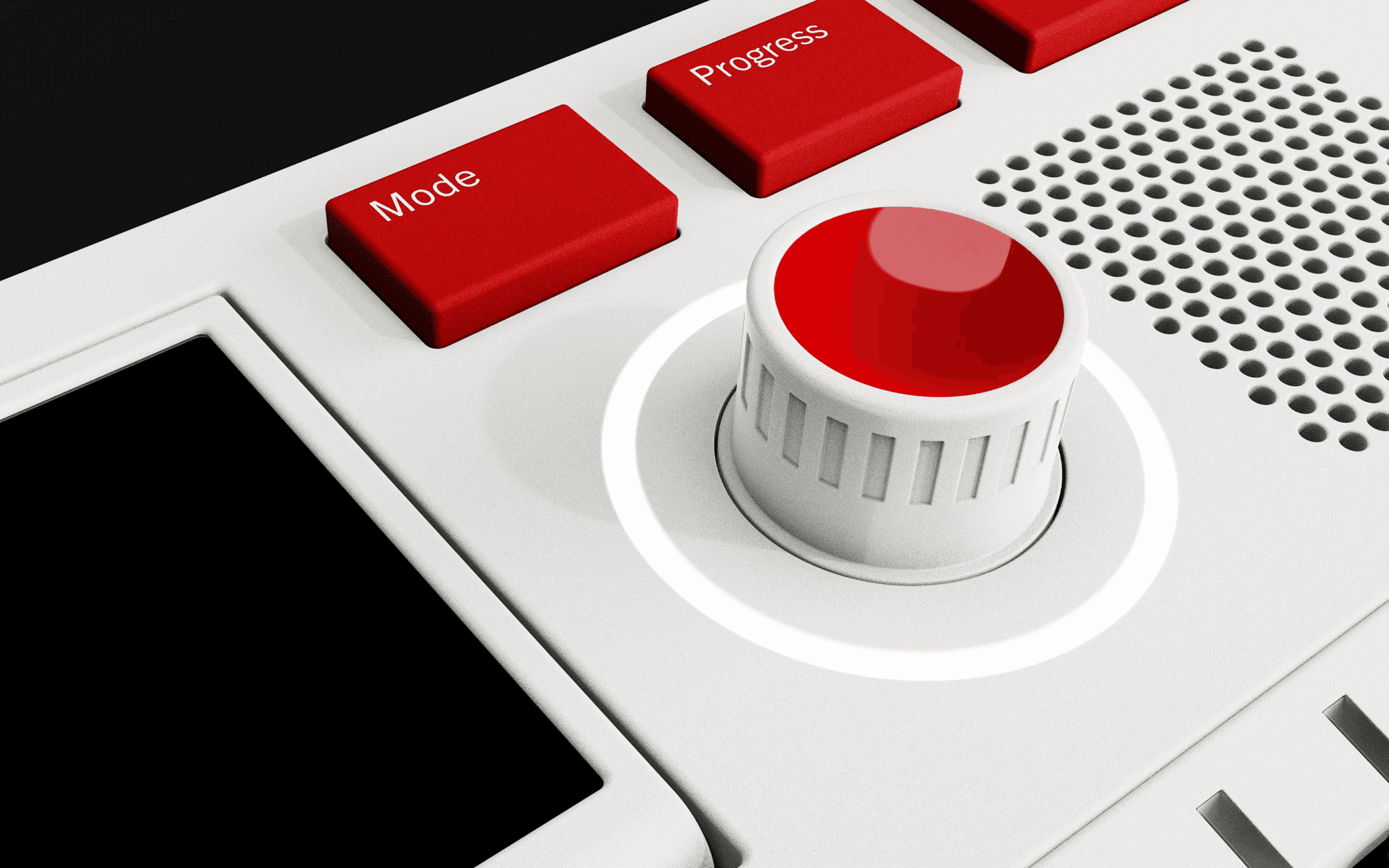
Joystick Navigation
A central joystick enables tactile navigation through modes and settings, providing physical feedback.
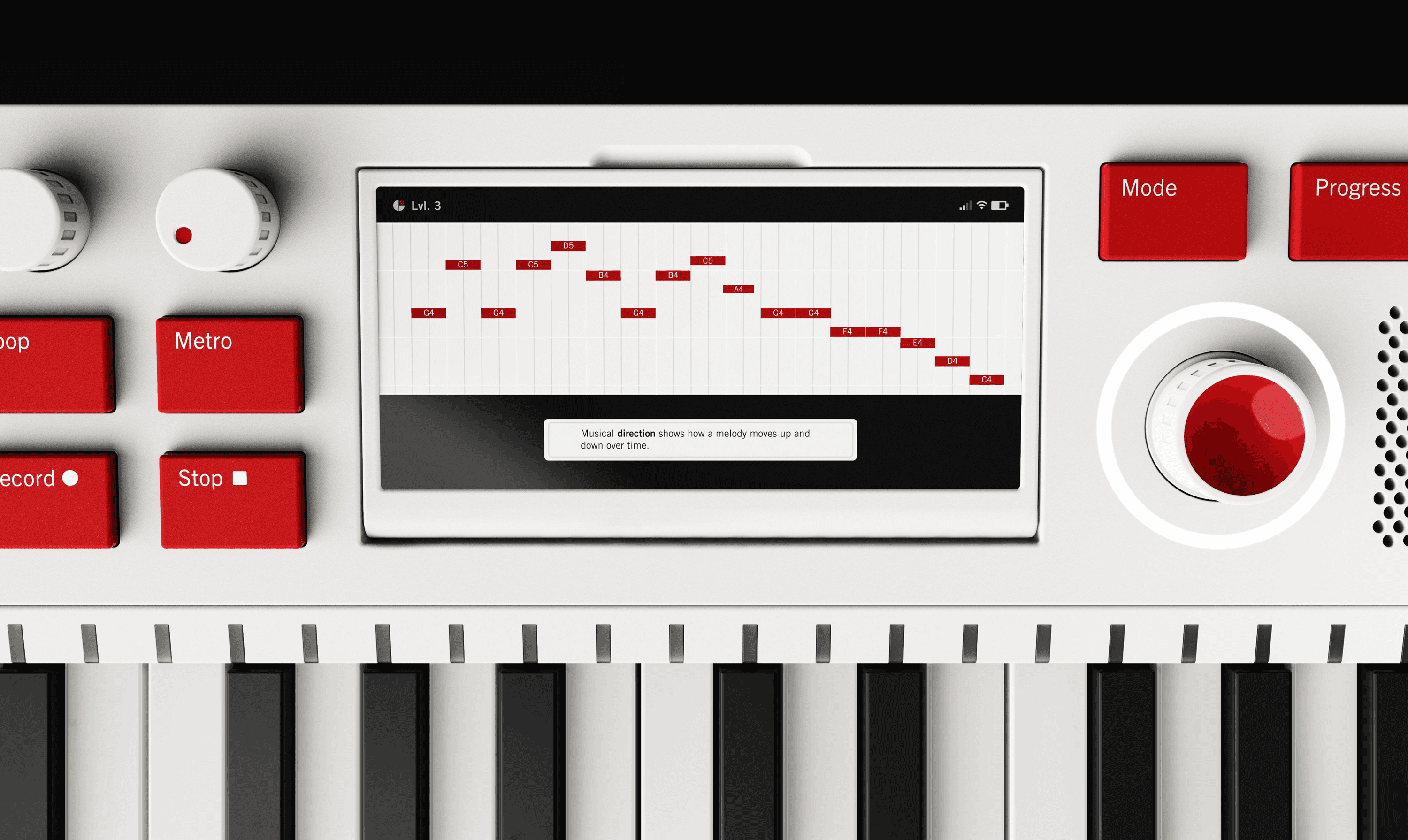
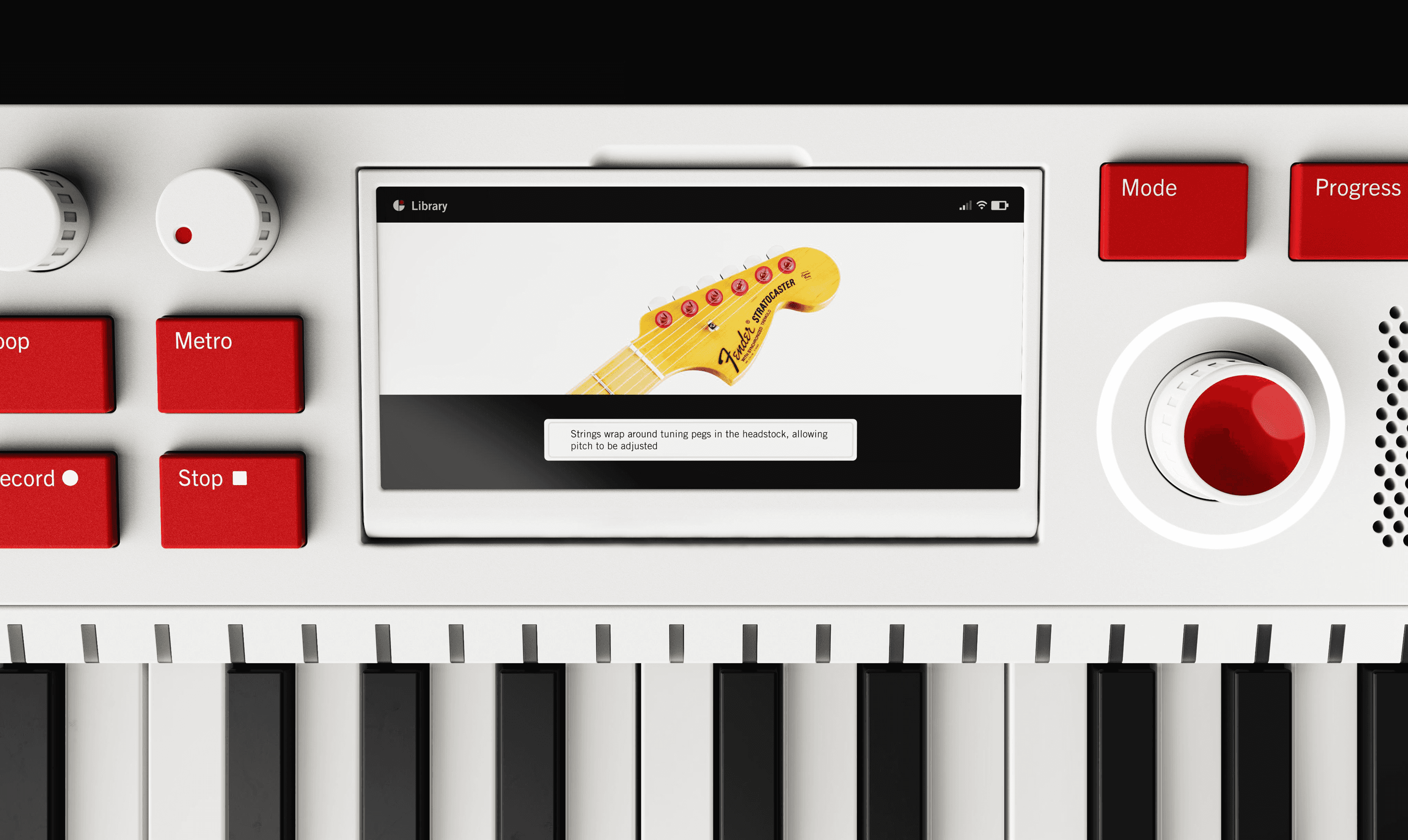
Lessons with Gakki
Gakki features a learning mode where users can explore composition and different instruments at their own pace.
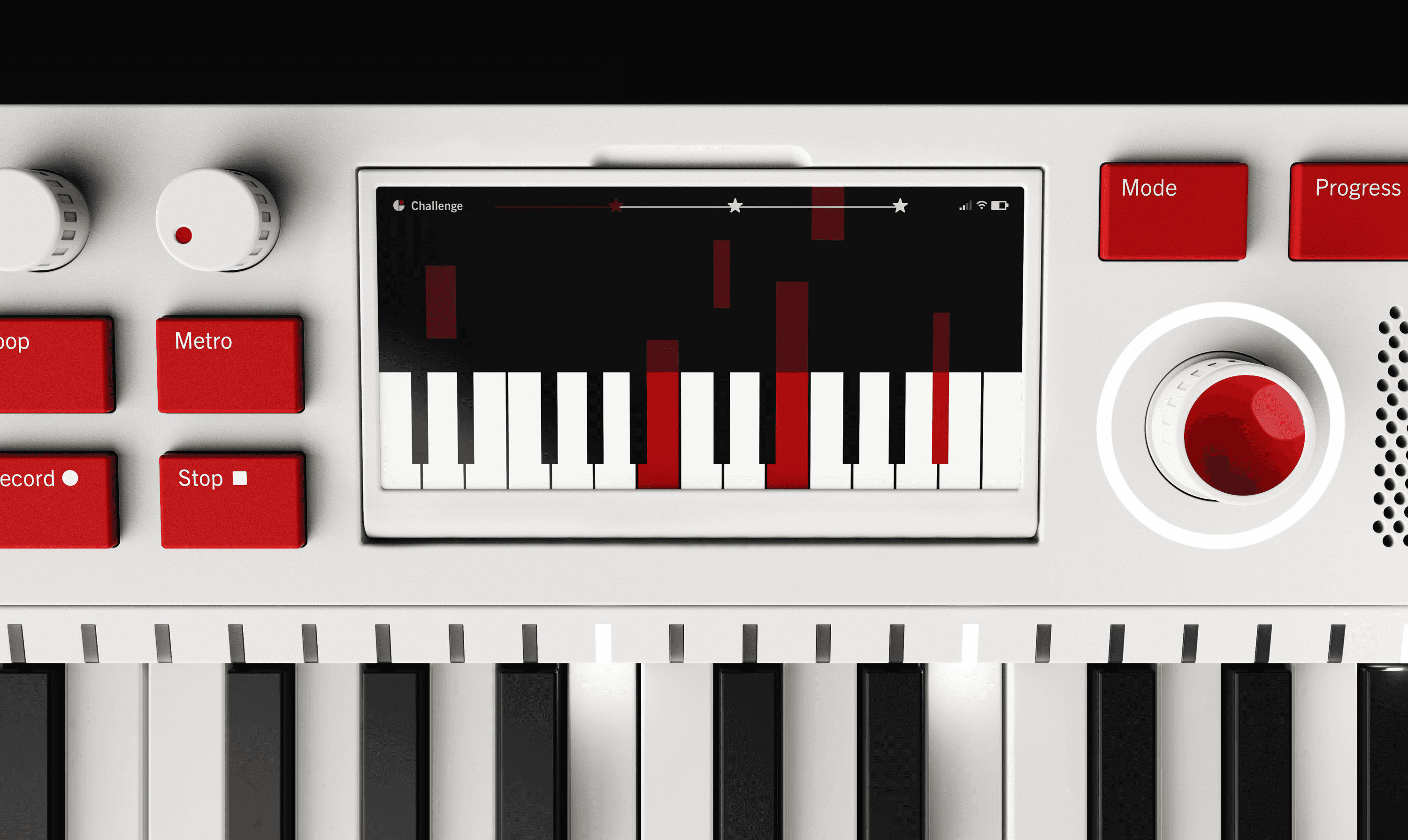
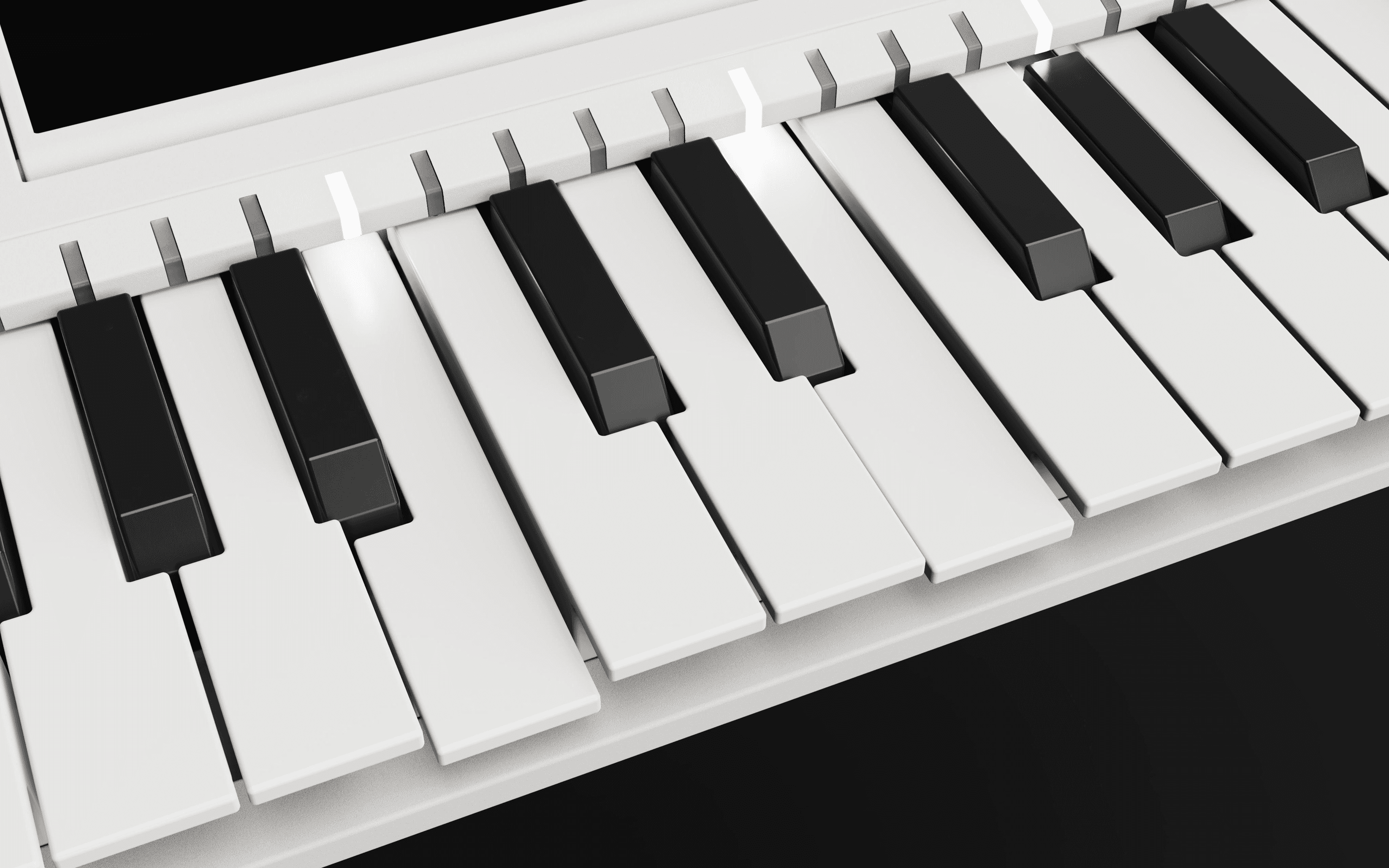
LED Guides
Guided LEDs introduce composition through sequence and timing, helping users learn by following visual cues.
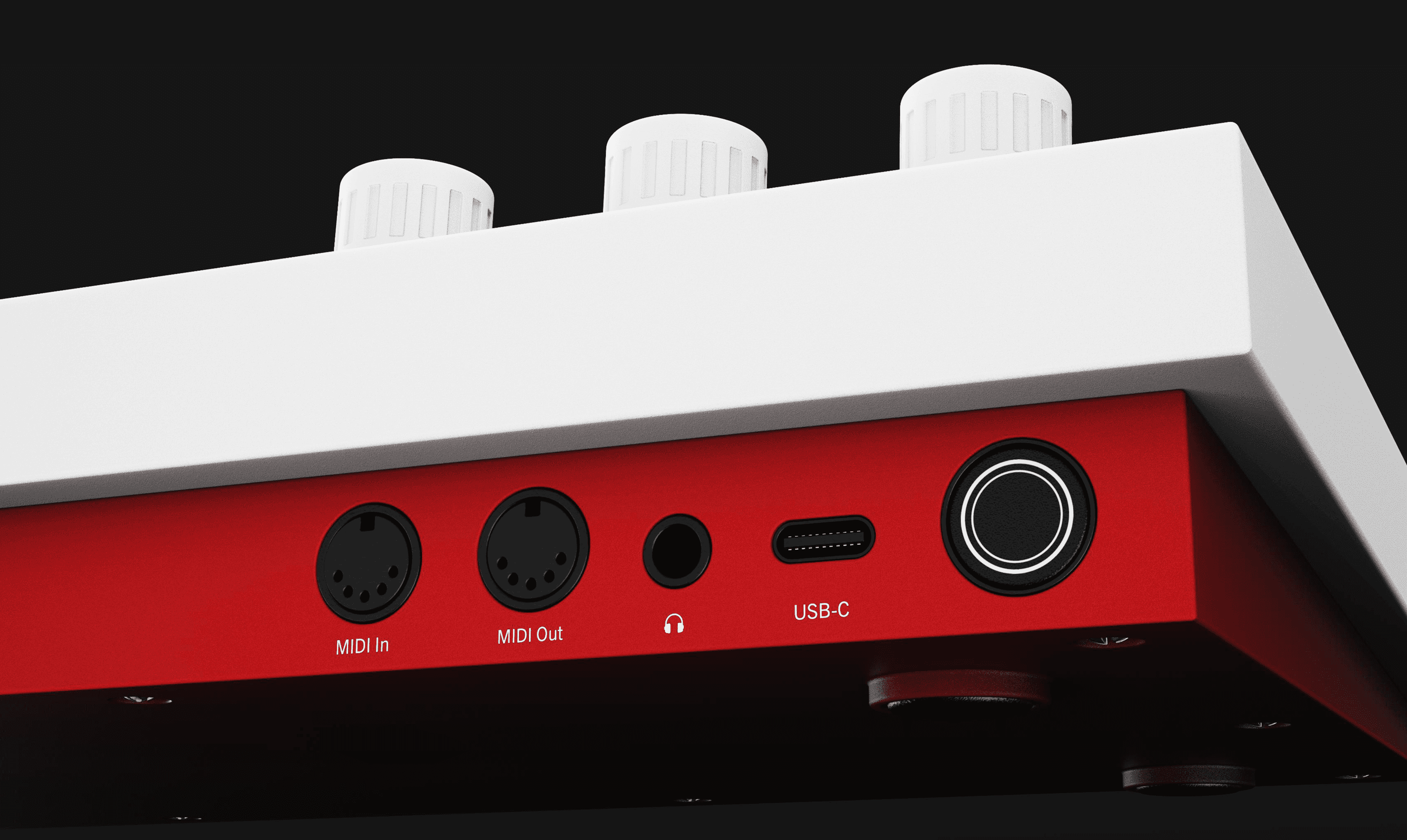
Evolves into Functional Music Tool
As users transition into more advanced composition, Gakki evolves into a digital audio workstation equipped with multiple ports for integration with professional equipment.
REFLECTION
Designing for Learning
This project reinforced that physical products can do more than provide functionality—they can shape how people learn. By designing interactions that encourage exploration while providing guidance, I learned how thoughtful physical and digital experiences can build confidence, creativity, and long-term engagement.
SOLUTION
An Instrument for Creative Exploration
Gakki is a hands-on music creation device that combines tactile interaction with digital guidance, helping beginners build confidence through playful exploration while supporting continued creative growth.
Flip-up Screen
The tilting screen accommodates different postures and setups, keeping information legible while playing and learning.
Joystick Navigation
A central joystick enables tactile navigation through modes and settings, providing physical feedback.
Lessons with Gakki
Gakki features a learning mode where users can explore composition and different instruments at their own pace.
LED Guides
Guided LEDs introduce composition through sequence and timing, helping users learn by following visual cues.
Evolves into Functional Music Tool
As users transition into more advanced composition, Gakki evolves into a digital audio workstation equipped with multiple ports for integration with professional equipment.
REFLECTION
Designing for Learning
This project reinforced that physical products can do more than provide functionality—they can shape how people learn. By designing interactions that encourage exploration while providing guidance, I learned how thoughtful physical and digital experiences can build confidence, creativity, and long-term engagement.
©2026 MRMD
©2026 MRMD
©2026 MRMD